

Vinyl Printing – Expert Answers to the Top Questions (Complete Guide)
Introduction
A window sticker and a name on a T-shirt may both be called vinyl printing, but they need different materials. The most useful first question is where the finished graphic will go. From there, you can choose the film, print system and finishing process without buying incompatible supplies.
This guide answers five common questions about vinyl printing, with practical checks for signage and garment work. The photographs are illustrative; a pictured roll or machine does not establish its exact material grade, compatibility or service life.
Chat with our team for printers, consumables, film, powder and business setup guidance.
Question 1: What is vinyl printing?
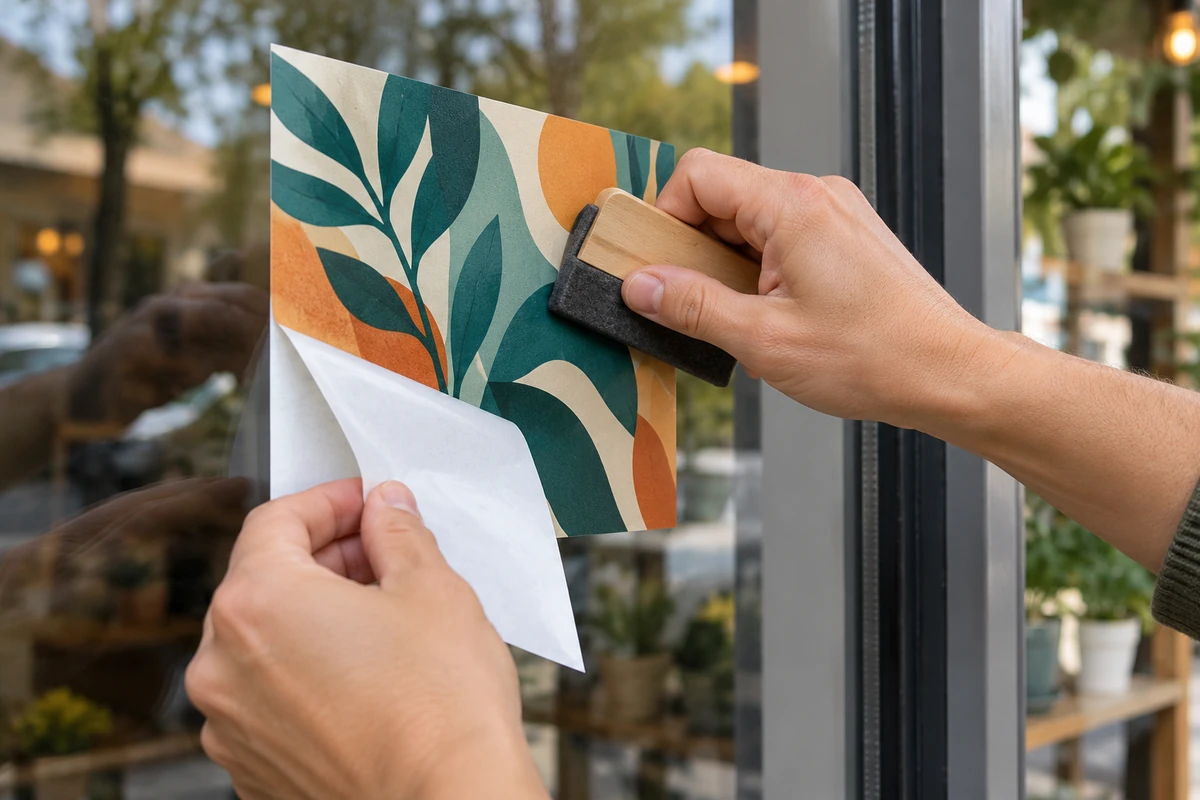
In signage, vinyl printing usually means printing an image onto a suitable film, then cutting, finishing and applying it to a compatible surface. Some vinyl graphics are cut from coloured material without printing. A self-adhesive film uses pressure-sensitive adhesive; it is not applied to a T-shirt in a garment heat press.
Garment heat-transfer vinyl, or HTV, is a separate system. A design is cut or printed using a compatible HTV workflow, prepared on its carrier, and heat-applied to a suitable fabric. A flexible banner material is different again: it may be mounted or tensioned rather than stuck down like a decal.

Question 2: What are the types of vinyl media?
Describe the job before comparing rolls: a short-term flat shop-window promotion, a curved vehicle panel and a washable sports shirt are not interchangeable applications. “Glossy” describes a finish, not a guarantee that a film suits every printer or surface.
- Self-adhesive signage film: choose a film specified for the surface, shape, exposure and intended removal period.
- Cast or calendered film: compare the manufacturer’s stated use and conformability rather than selecting by thickness alone.
- Garment HTV: verify fabric compatibility, cutting or printing requirements, carrier orientation and pressing instructions.
- Reflective, clear or speciality film: check the complete product specification. Reflective appearance alone does not establish suitability for a regulated safety sign.
Printable vinyl also needs a coating suited to the ink technology. Do not assume that a sheet sold for a desktop aqueous inkjet will behave like a roll intended for an eco-solvent printer.

Question 3: Which ink technologies are used?
Begin with the printer’s approved ink type and the film’s technical sheet. Ordinary garment DTF ink is not an eco-solvent signage ink. A cleaning fluid is not an ink, and it must also match the particular printer and ink system.
Aqueous ink
Some printable films are coated for particular water-based desktop inks. Confirm both the ink and media combination, then check whether the intended exposure requires additional protection. “Water-based” by itself does not tell you the outdoor durability of a finished graphic.
Eco-solvent ink
Use a compatible signage printer, film and media profile. Allow the printed media to dry and release residual solvent as its supplier directs before finishing. A print that feels dry can still need time before lamination.
UV ink
A compatible UV printer cures its ink using its designed light system. Adhesion, flexibility and surface protection still depend on the particular ink, film and application. UV curing does not make every film suitable for a floor graphic or remove every need for an overlaminate.
Before a full run, print a small sample with the intended profile and inspect colour, adhesion and finishing behaviour. If banding appears, start with the printer’s nozzle-check and feed diagnostics; do not pour a generic cleaner into the machine.

Question 4: How does lamination work?
An overlaminate is a compatible protective film applied over a print. Its purpose and required performance depend on the job: handling, abrasion, cleaning, exposure and finish all matter. A gloss or matte finish can also change the perceived appearance of the print.
Follow the media and laminate supplier’s drying, curing, tension and application guidance. There is no universal rule that every indoor graphic can skip lamination or that adding any laminate makes every outdoor print last three to seven years. Use the stated performance of the complete film, ink and laminate combination under the actual exposure conditions.

Question 5: What are best practices and tips?
For self-adhesive vinyl printing, check that the surface is sound, clean and compatible. Use the cleaner and preparation method specified for that surface and adhesive. Do not assume alcohol, a wet application method or a heat gun is appropriate for every film, paint or plastic.
Align the graphic before committing it, keep contamination away from the adhesive and apply it using the film maker’s procedure. Vehicle curves and recesses need material-specific techniques; a beginner’s flat-glass test is not proof that the same film suits a deep vehicle recess.
Common challenges in vinyl printing
- Edges lift: check surface compatibility, contamination, application conditions, remaining solvent and excessive tension before blaming the adhesive alone.
- Bubbles appear: check the application technique and the film’s air-release or wet/dry application instructions. Avoid puncturing or heating blindly.
- Banding appears: use the printer’s nozzle check, alignment and feed guidance. Cleaning is not the answer to every profile or feed problem.
- HTV lifts or cracks: verify the fabric, time, temperature, pressure, peel and care instructions. Increasing all the heat settings can damage the garment.
Keep a small test record: material code, ink, profile, finishing method, surface and conditions. Change one variable at a time so you can identify what solved the problem.
Vinyl printing vs. other printing methods
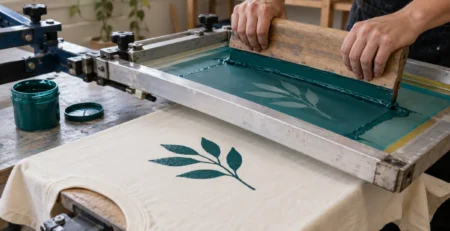
Choose by the finished use. Self-adhesive signage vinyl is useful for suitable hard surfaces. Cut HTV suits many simple garment names and shapes, while printable HTV needs its own compatible print system. Screen printing, DTG and garment DTF offer other ways to decorate suitable textiles. Compare setup effort, detail, quantity, feel and compatibility rather than treating one process as the universal winner.
Plan the job before buying supplies
Good vinyl printing begins with a compatible surface and material, continues with the right print system, and ends with a tested finishing process. A small sample costs less than discovering a mismatch after printing an entire order.
Equipment for the garment HTV branch
If your job is garment HTV, compare the usable platen and features of the 15 × 15 inch heat press and 16 × 24 inch heat press. Follow the HTV maker’s settings. These are garment tools, not equipment for applying self-adhesive window vinyl. For the distinction, read our vinyl and traditional printing comparison.
Manufacturer references
- Siser HTV application instructions for product-specific garment guidance.
- Avery Dennison’s introduction to digitally printed graphics for compatible processing and finishing.
Use the current technical sheet for the exact product you buy. These educational references do not establish that an unlisted material or ink is compatible.


LEAVE A COMMENT