
Use an available credit card or digital payment method for automated payment proof, confirmation, invoice and order processing.
No 7.5% prepaid discount above ₹10,000. GST, payment fee and weight-based shipping apply as applicable.-4%
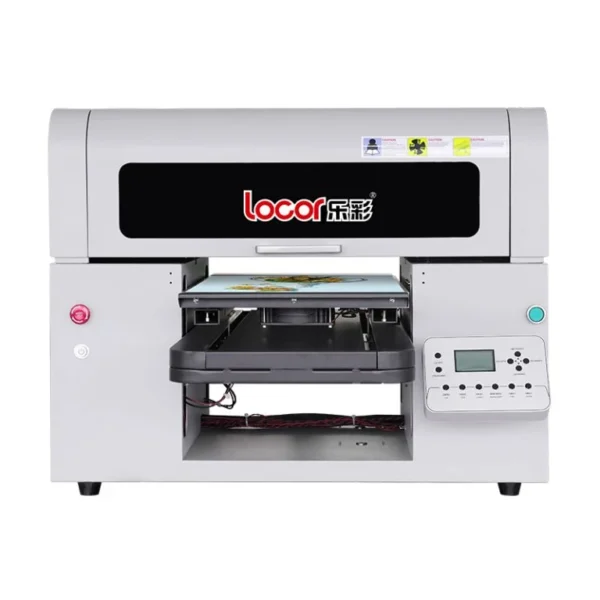
Locor A3 XP600 UV Printer – Dual Head A3 UV Flatbed Printing Machine
Original price was: ₹410,000.00.₹395,000.00Current price is: ₹395,000.00.
Reviews
No reviews yet
Add review
Availability
Backorder available
Dispatch after confirmation
DTFShop benefit
Save up to 3.7%
Product-price saving only; no prepaid discount above ₹10,000
Locor A3 Size Dual Head XP600 UV Flatbed Printer is a Locor A3 UV-flatbed printer with a dual-XP600-head configuration. Flatbed UV printing positions suitable objects or sheets beneath the carriage for direct printing.
Locor A3 Size Dual Head XP600 UV Flatbed Printer is a Locor A3 UV-flatbed printer with a dual-XP600-head configuration. Flatbed UV printing positions suitable objects or sheets beneath the carriage for direct printing. It is a different media-handling process from roll-fed UV DTF sticker production.
What you receive for the listed price
- The named machine or conversion configuration selected on this product page.
- Unlisted accessories, starter-consumable quantities, installation services and warranty terms are not included by implication; these package details still require a written itemisation.
Applicable taxes and shipping, where relevant, are shown at checkout. Gallery guides and demonstration equipment explain use; they are not additional supplied items.
Full online payment is required. COD is unavailable. This order is non-cancellable once paid.
GST invoice available / Shipping calculated at checkout / Product support
Payment Options
Order online with automated confirmation and flexible payment choices
Choose prepaid, COD where available, credit card, digital payment or eligible EMI assistance.
For high-value products, our team may verify your order, address and delivery possibility before dispatch.
COD availability depends on product, location and order confirmation.We can assist with EMI or credit-card payment link options where available.
Ask on WhatsApp
✓ Automated order confirmation and digital payment proof
✓ COD option where available and approved
✓ Credit-card, digital-payment and eligible EMI choices
✓ GST invoice, tracking and WhatsApp updates
✓ Eligible purchase rewards and promotional coupons by email
Note:
EMI may be available up to ₹5,00,000, subject to bank/card eligibility. Available payment methods are confirmed at checkout.
Frequently bought together
Ask expert
Complete your setup
Useful add-ons commonly paired with this product. Choose only what you need.
- Description
- Additional information
- Reviews (0)
Description
Locor A3 Size Dual Head XP600 UV Flatbed Printer — Overview and practical use
Locor A3 Size Dual Head XP600 UV Flatbed Printer is a Locor A3 UV-flatbed printer with a dual-XP600-head configuration. Flatbed UV printing positions suitable objects or sheets beneath the carriage for direct printing. It is a different media-handling process from roll-fed UV DTF sticker production.
What you receive for the listed price
- The named machine or conversion configuration selected on this product page.
- Unlisted accessories, starter-consumable quantities, installation services and warranty terms are not included by implication; these package details still require a written itemisation.
Applicable taxes and shipping, where relevant, are shown at checkout. Gallery guides and demonstration equipment explain use; they are not additional supplied items.
LC-A3 machine specifications and construction
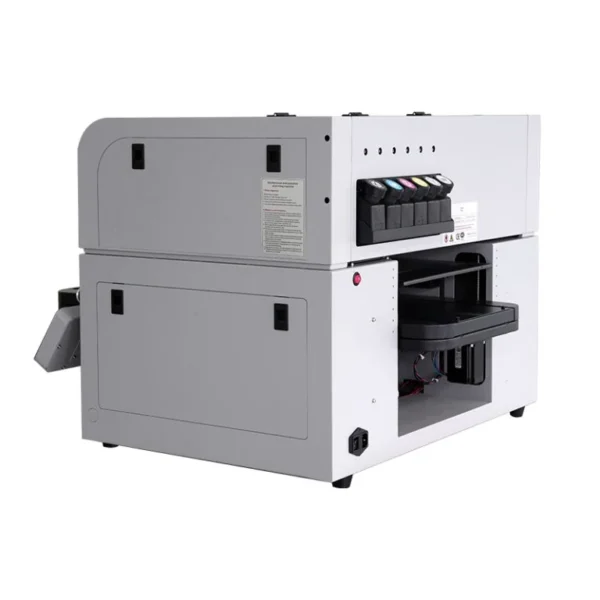
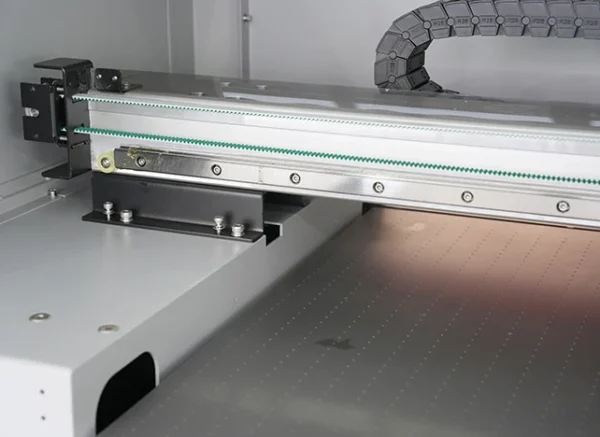
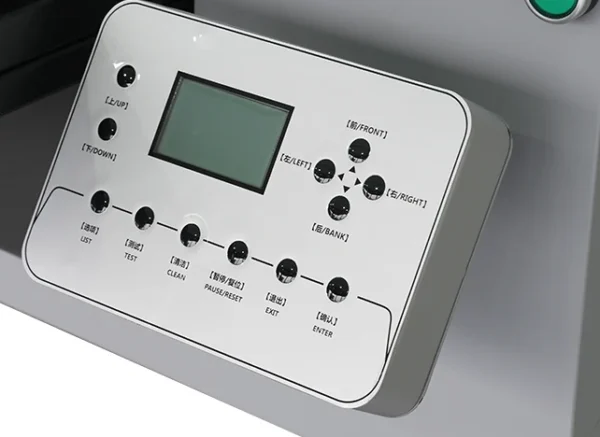
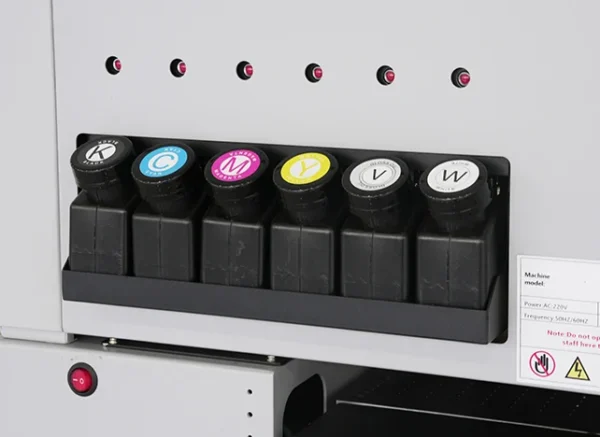
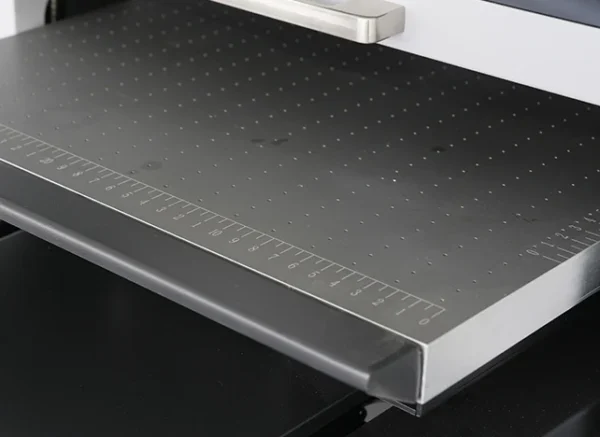
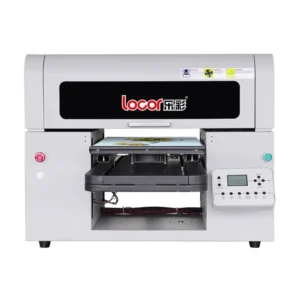
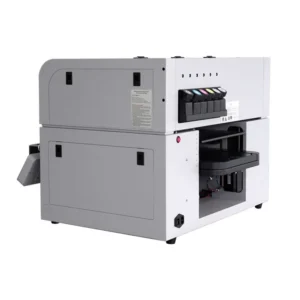
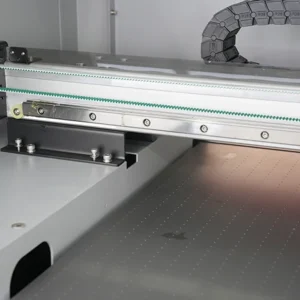
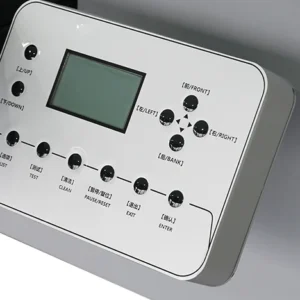
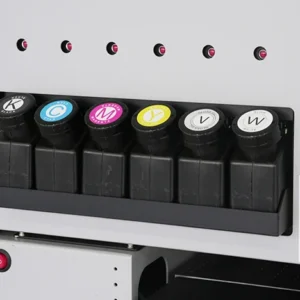
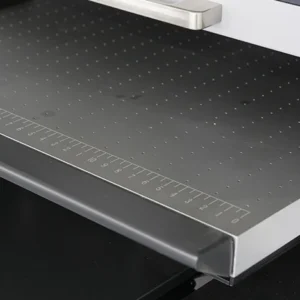
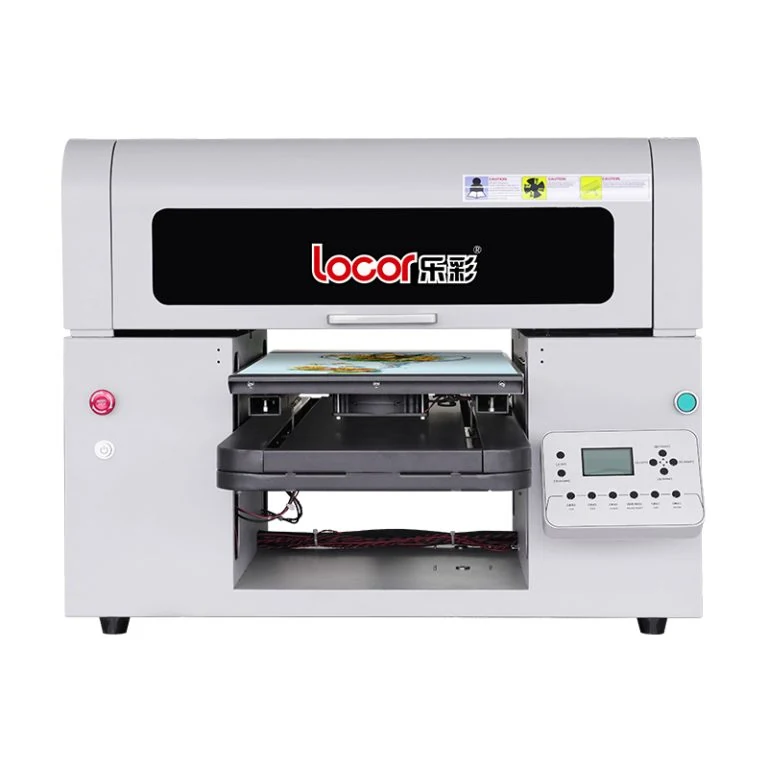
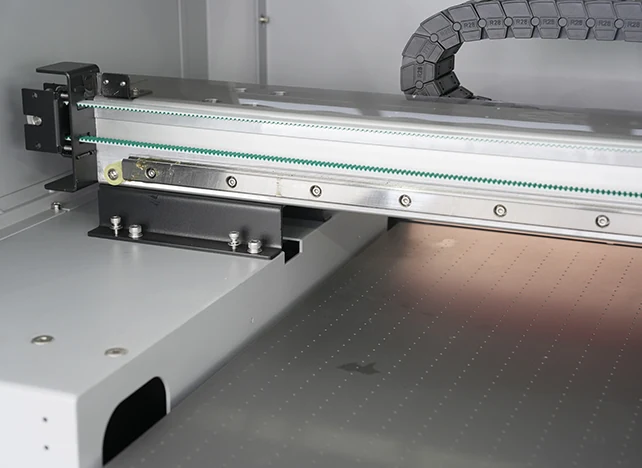
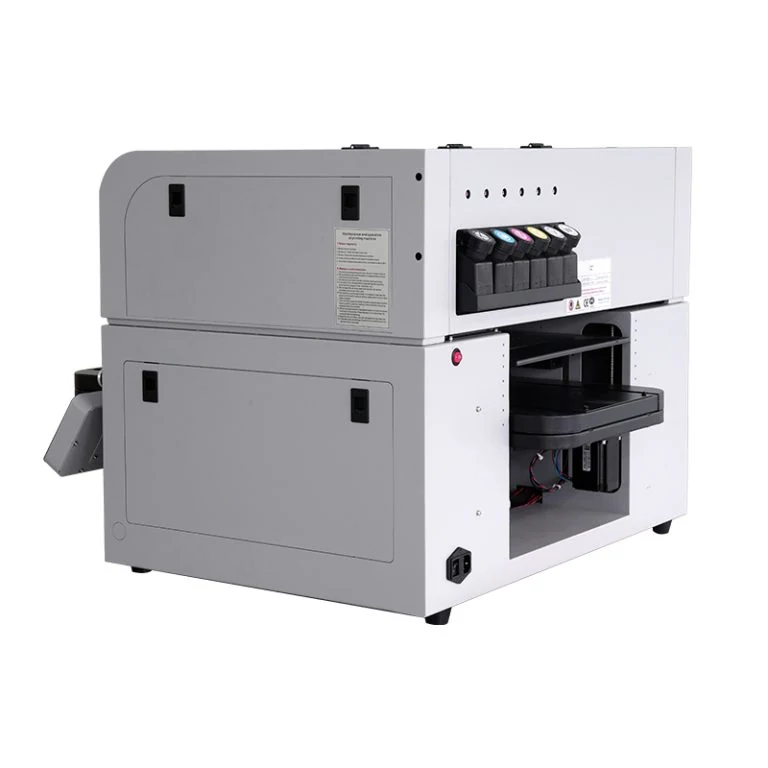
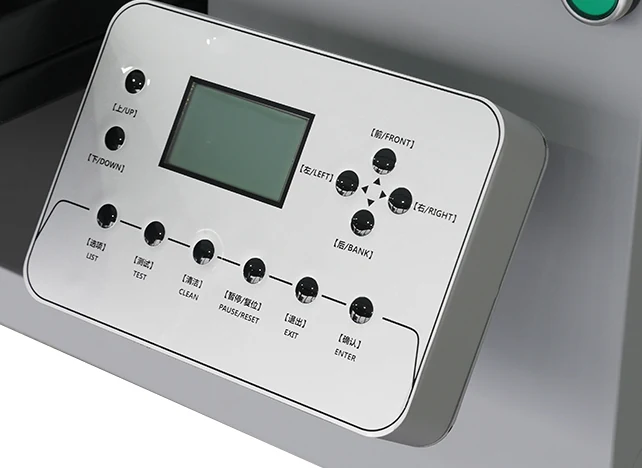
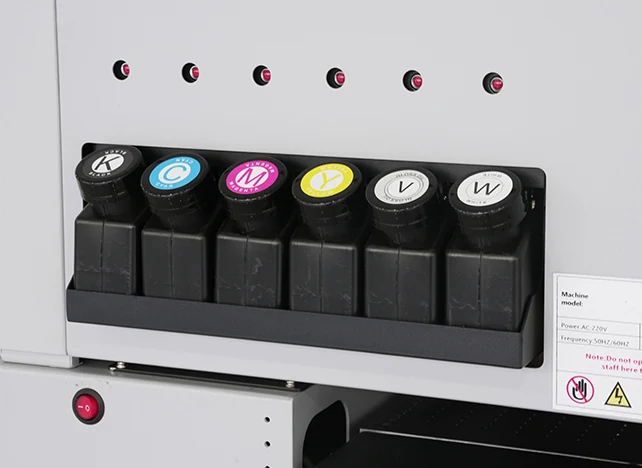
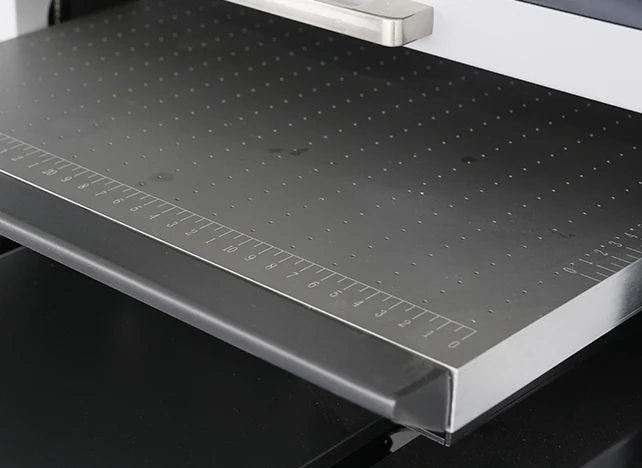
The Locor A3 Size Dual Head XP600 UV Flatbed Printer belongs to the LC-A3 / UV Flatbed-A3 platform. Its front-loading flatbed supports direct printing onto suitable rigid items and sheets. The machine photographs show the Locor cabinet, front control panel, metal platform and separate ink reservoirs.
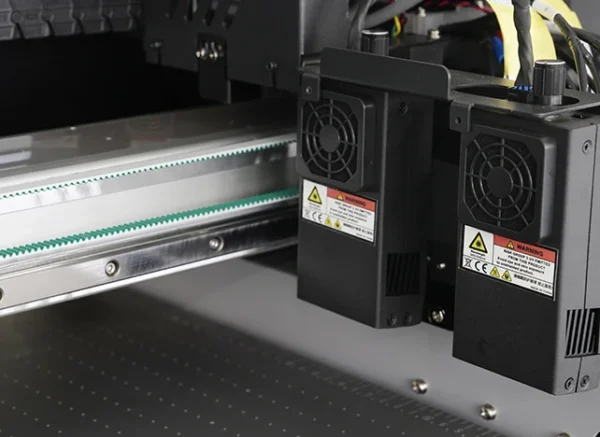
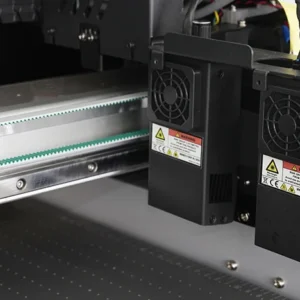
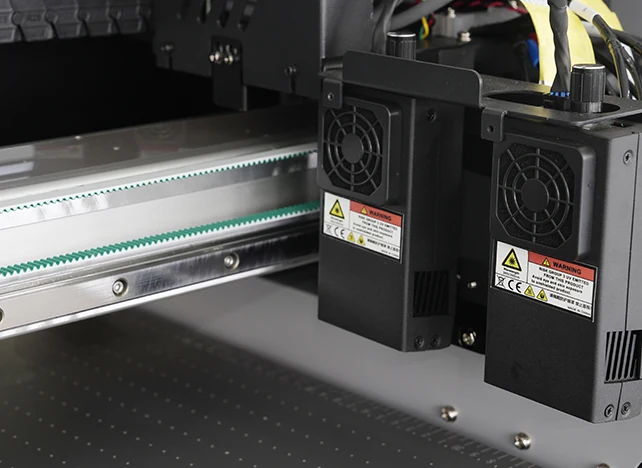
UV LED curing operates beside the carriage, so the object stays supported on the bed throughout printing.
| Manufacturer model family | LC-UV A3 / UV Flatbed-A3 |
|---|---|
| Manufacturer-listed printing area | 300 × 500 mm |
| Ink and curing | UV ink, CMYK + white + varnish; LED UV curing with air cooling |
| Ink reservoir capacity | 250 ml per colour |
| Media thickness range | 0–120 mm, subject to safe object clearance |
| Platform and interface | Vacuum metal platform; USB connection |
| Software platform | Windows 10 / 11; manufacturer lists Maintop 6.1 UV |
| Machine dimensions and weight | 795 × 920 × 570 mm; 110 kg net |
| Rated power | 450 W |
These values follow Locor’s current UV Flatbed-A3 product specification. They describe this model family rather than the separate LC-UVA3S. Usable coverage depends on the fixture, printable object shape and carriage clearance; a tall object is not automatically printable across every part of its surface.
Curing and the intended application
UV printing uses an ink system and curing arrangement designed to work together. Direct flatbed printing and UV DTF film transfer have different media paths. Adhesion and surface preparation must be evaluated for the actual object rather than assumed from its material name alone.
Daily use and practical checks
When working with Locor A3 Size Dual Head XP600 UV Flatbed Printer, pay close attention to object height and surface flatness. A raised edge or an incorrectly positioned jig can enter the carriage path.
Material consistency in production
For Locor A3 Size Dual Head XP600 UV Flatbed Printer, protect UV inks and related fluids from unintended light exposure and use compatible materials. Keep ink and cleaning products identified by system. Follow the supplied safety and handling instructions rather than borrowing procedures from an aqueous garment-DTF line.
Understanding the UV printing workflow
UV printing uses a compatible ink and curing arrangement to form the image on the intended media. Direct printing onto a flat object and printing a transferable decoration on UV DTF film use different media paths. The role described above identifies which part of that workflow this item serves.
Ink, film, cleaner and equipment should be selected as one supported system. A common colour name or similar printer width does not establish that two systems use the same materials. Keeping the workflow clearly identified helps the operator make sensible choices about setup, handling and finished-output evaluation.
Rigid-object loading and fixture planning
The object or sheet sits within the supported working area while the carriage passes over it. For repeated phone cases, small panels or promotional items, a suitable jig helps position each blank at the same origin and height. Keep the fixture below the printing plane and support the item so it cannot rock or slide.
Recesses, handles and raised edges need particular attention because the highest point determines safe clearance. Use an artwork layout that corresponds to the actual fixture positions rather than compensating for an incorrectly loaded blank through repeated software adjustments.
Curing, adhesion and surface behaviour
The ink system and curing arrangement need to be compatible with each other and the intended application. A surface that looks dry is only one observation; adhesion and finished behaviour also matter. Hard, soft and hybrid ink descriptions refer to intended formulation behaviour, rather than a universal ranking from good to better.
Use the supplied material guidance when evaluating a formulation. Keep surface preparation and application conditions consistent during a test. Avoid extending an ordinary adhesion sample into claims about food contact, dishwashing, outdoor life or chemical resistance unless the specific materials and process have supporting evidence for those claims.
Preparing artwork, white layers and varnish
Prepare artwork at the finished print dimensions and inspect fine text, edges and transparent areas before sending the job to the RIP. A white layer can support colour visibility on a dark or transparent item; the white separation must follow the intended artwork rather than filling every open area by default.
Varnish is a separate output choice and should be planned with the colour and white layers. Save the approved RIP preset, artwork version and object height together. That record makes a repeat job easier to reproduce than relying on a screenshot of the completed print.
Keeping the materials and machine organised
Protect UV ink and related fluids from unintended light exposure and follow their supplied storage information. Keep maintenance products separate from printing consumables and labelled for the installed system. Use the equipment documentation for cleaning, curing-unit service and safe access to the working area. Head height, media positioning and clearances are machine settings rather than properties of the artwork file.
For roll workflows, track alignment through printing and lamination; for flatbed work, keep jigs and objects stable. The purpose is consistent control of the whole image path, without borrowing an aqueous garment-transfer routine for a different chemistry.
A useful finished-output evaluation
Retain an accepted sample and note the ink, film or substrate, preparation and working settings. Inspect small text, image edges, colour and surface contact under consistent lighting. Judge the result after the handling stage specified by the materials, using a test appropriate to the intended item.
If a defect appears, compare one process change at a time rather than changing ink, film, curing and application together. A repeatable sample provides a clearer production reference than a general claim of universal adhesion. It also helps distinguish material compatibility, machine setup and application technique when technical support is needed.
Planning a practical UV flatbed setup
Alongside the printer, plan a stable work surface, a compatible computer, suitable UV ink and the maintenance fluids specified for the installed ink system. Production jigs should suit the exact items being printed. For coated metal, acrylic, glass or other rigid blanks, keep a sample of the actual material for adhesion trials.
Surface coatings and mould-release residues can change the result even when two blanks share the same material name. Establish the accepted surface-preparation and curing settings on a representative job, then retain that sample as the reference for later batches.
Product video guides
UV flatbed workflow reference
Locor 6090 UV Flatbed Printer | Quick Working Demo
Locor 6090 UV demonstration. Larger machine than this A3 listing; exact-model installation video is pending.
Source: ProlificGeeks
Watch on YouTubeReference videos explain a method or related model. They do not certify your supplied machine, consumable batch or print results. Follow the exact product manual and recommended settings.
Practical questions
What is a useful production demonstration?
Use artwork and materials similar to the jobs you intend to sell. Inspect finished output, setup time and the downstream processing stage. Head count or nominal width alone does not establish usable production speed at your required quality.
What should the operator save for repeat jobs?
Keep the artwork version, print preset, material identity and approved finished sample together. Record routine maintenance and any setup changes. A known reference job helps distinguish a file change from a transport, ink or calibration problem.
Additional information
| Weight | 200 kg |
|---|---|
| Dimensions | 120 × 90 × 90 cm |
Reviews
There are no reviews yet.