DTFShop benefitSave up to 30.6%
Includes eligible prepaid saving before GST/fees
In stock
excl. GST
incl. GST
Shipping and applicable payment fees are calculated at checkout.
% prepaid savings
prepaidSave before GST, shipping or fees. Eligible orders only.
Cash on DeliveryItem incl. GST. Shipping and any COD fee extra. Check PIN eligibility.
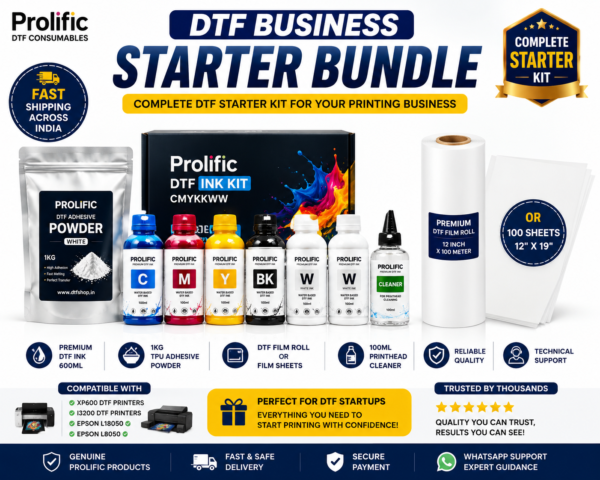
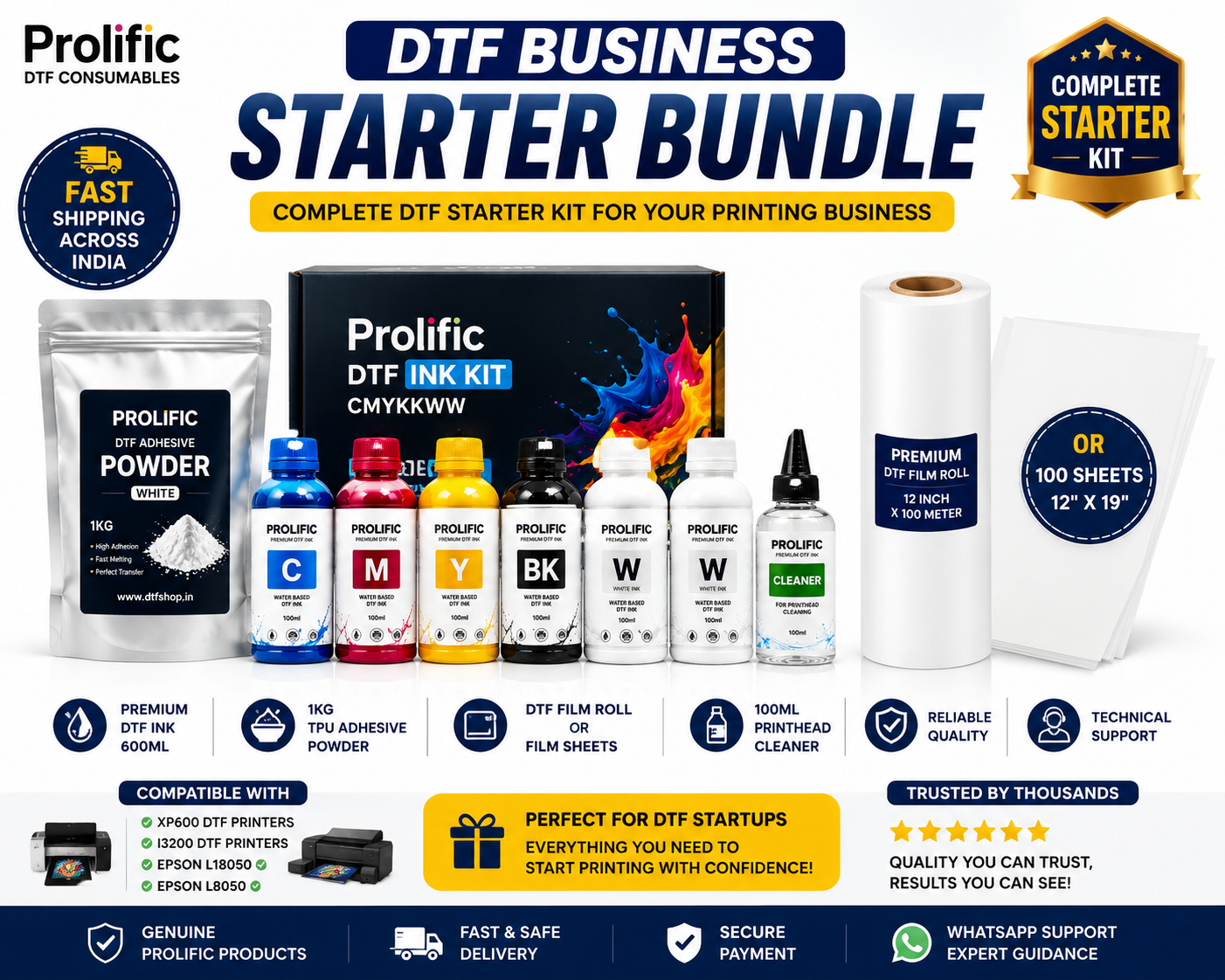
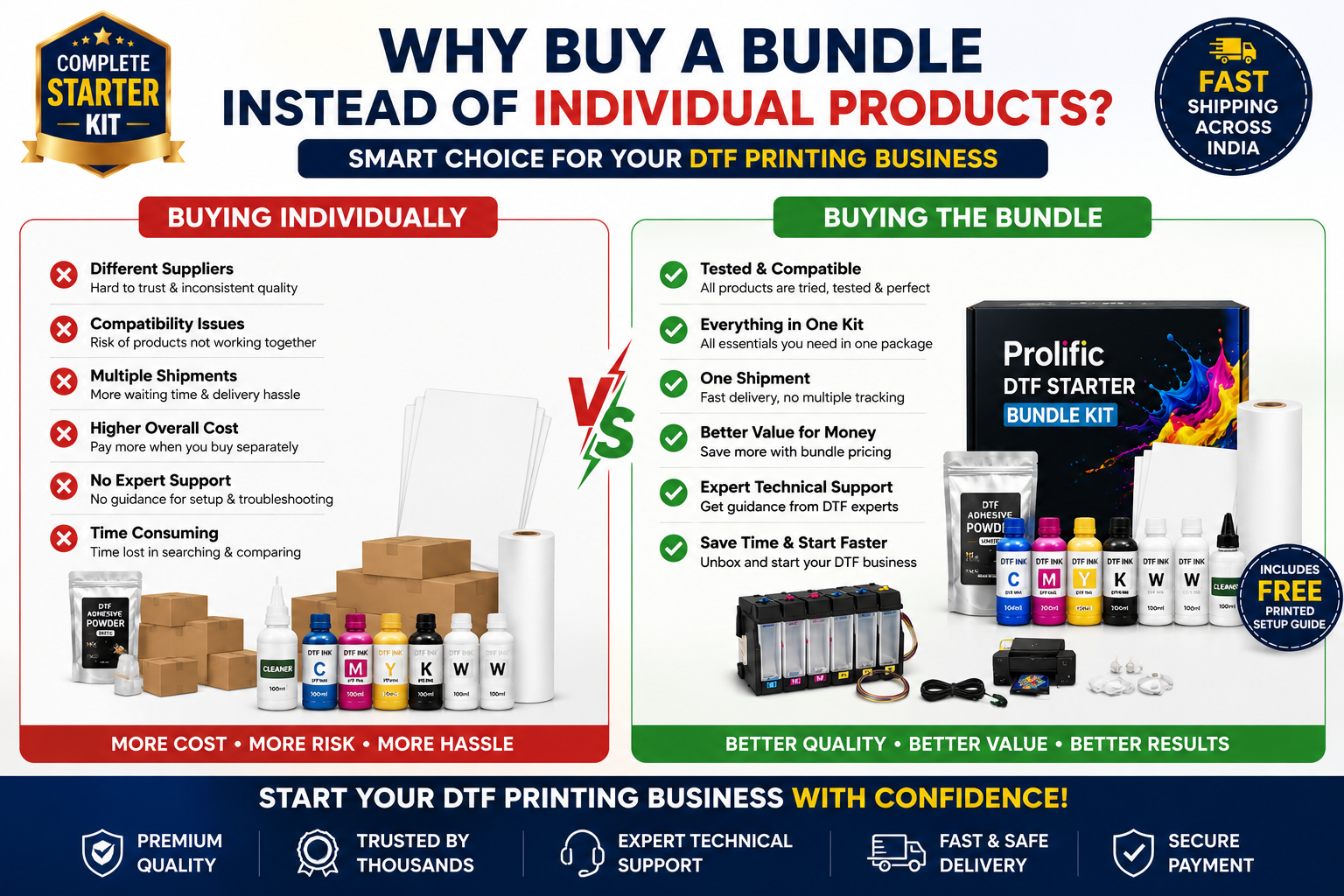
DTF Business Starter Bundle is a DTF starter-bundle covering the selected ink, film, powder and L18050-conversion-kit option. A bundle groups stages of the workflow but should still be understood component by component.
DTF Business Starter Bundle is a DTF starter-bundle covering the selected ink, film, powder and L18050-conversion-kit option. A bundle groups stages of the workflow but should still be understood component by component. Printer conversion, transfer consumables, curing and pressing have different technical requirements.
What you receive for the listed price
The colour, size or configuration selected on this product page.
Available options are alternatives, not a combined set. Pack quantity follows the selected option; any unstated quantity still needs confirmation.
Applicable taxes and shipping, where relevant, are shown at checkout. Gallery guides and demonstration equipment explain use; they are not additional supplied items.
GST invoice available / Shipping calculated at checkout / Product support
Offers
Razorpay card offers
Razorpay displays offers available for your card at checkout. The issuing bank, minimum spend and other conditions may apply.
Card EMI
Select an eligible card at checkout to see available tenures, interest, fees and the final instalment amount.
Festival coupons
Enter a valid campaign coupon at checkout. Product eligibility, minimum spend, expiry and coupon combinations are checked there.
Bulk-buy coupons
Available quantity discounts depend on the product and order size. Use Request bulk quote to get a price for your requirements.
DTFShop Rewards
The estimate uses the item price before further discounts. Actual points depend on eligible order value after discounts and are credited after completion.
Sign in to check your balance. Redeem from 50 points on eligible orders.
Smart Online SavingsYour order cost, explained
Compare automated website ordering—including COD, card/digital payments, rewards and coupons—with a manual/offline order.
Order on DTFShop.inRecommended
Product value₹4,500.00
Prepaid discount (7.5%)−₹337.50
Website shippingCalculated by weight at checkout
GST (18%)+₹749.25
Estimated platform fee (2.36% of total)+₹118.72
Estimated prepaid subtotal₹5,030.47
Weight-based shipping will be added at checkout
Online purchase rewardsEarn and use eligible rewards
Purchase + email couponsGet eligible coupon offers and free promotional coupons by email
✓ Order online anytime, from anywhere✓ Choose COD where available✓ Pay securely by credit card or available digital payment methods✓ Immediate digital payment proof and automatic order confirmation✓ GST invoice available without manual follow-up✓ Automatic tracking and WhatsApp order updates✓ Earn rewards on eligible completed online purchases✓ Receive eligible purchase coupons and free promotional coupons by email
Manual / Offline Order
Product value₹4,500.00
Manual / offline shippingCalculated by actual weight and location
GST (18%)+₹810.00
Prepaid website discount₹0
Website rewards / coupon₹0
Estimated manual order subtotal₹5,310.00
Actual weight/location-based courier charge is extra
• Payment coordinated manually through WhatsApp/bank transfer• Confirmation and invoice may require manual processing• Courier charged on the actual/manual booking basis• Shipment timing and updates are coordinated manually
Estimated saving by ordering prepaid on DTFShop.in₹279.53
before weight-based shipping and any additional eligible rewards or coupon saving
How this estimate works:
Website example uses the 7.5% prepaid discount only when the eligible value is ₹10,000 or below, plus GST 18% and an estimated non-EMI platform fee equal to 2.36% of the subtotal including that fee. Shipping, coupons and final taxes are confirmed at checkout.
Website and manual/offline shipping are excluded from these subtotals because courier charges are calculated from actual weight, dimensions and delivery location.
Final checkout or confirmed manual quotation is authoritative and can change with shipping, coupon, rewards, variation and payment method.
This product is variable, so this comparison currently uses the starting variation price.
Frequently bought together
Complete your setup
Useful add-ons commonly paired with this product. Choose only what you need.
DTF Business Starter Bundle — Overview and practical use
DTF Business Starter Bundle is a DTF starter-bundle covering the selected ink, film, powder and L18050-conversion-kit option. A bundle groups stages of the workflow but should still be understood component by component. Printer conversion, transfer consumables, curing and pressing have different technical requirements.
What you receive for the listed price
The colour, size or configuration selected on this product page.
Available options are alternatives, not a combined set. Pack quantity follows the selected option; any unstated quantity still needs confirmation.
Applicable taxes and shipping, where relevant, are shown at checkout. Gallery guides and demonstration equipment explain use; they are not additional supplied items.
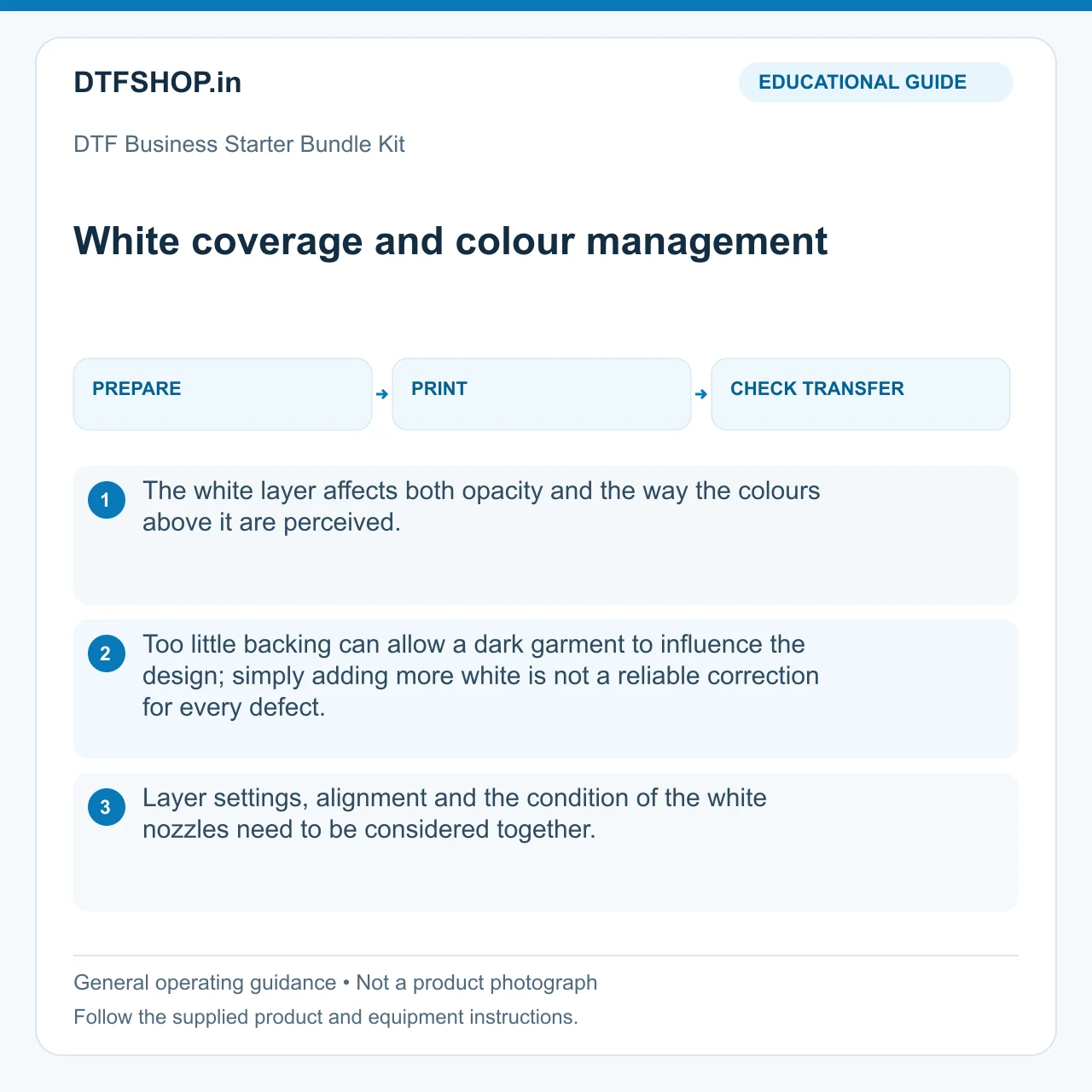
Product view Kit with DTF Ink Film Powder Cleaner and Conversion Accessories.Illustrated guide: white coverage and colour management. Educational illustration, not a product photograph.
Production quality is a complete workflow
Assess a machine with representative artwork and the materials used for the intended jobs. Media transport, ink condition, software settings and the downstream process affect usable output. Head count or nominal media width alone does not establish a guaranteed production speed.
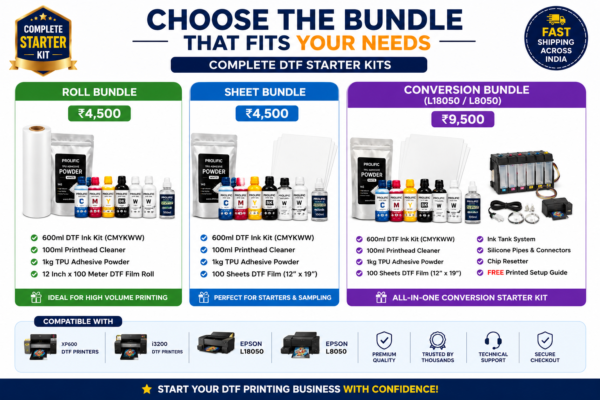
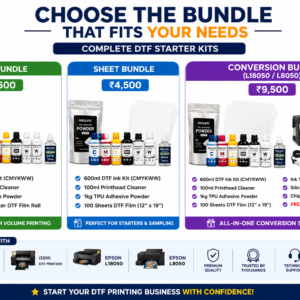
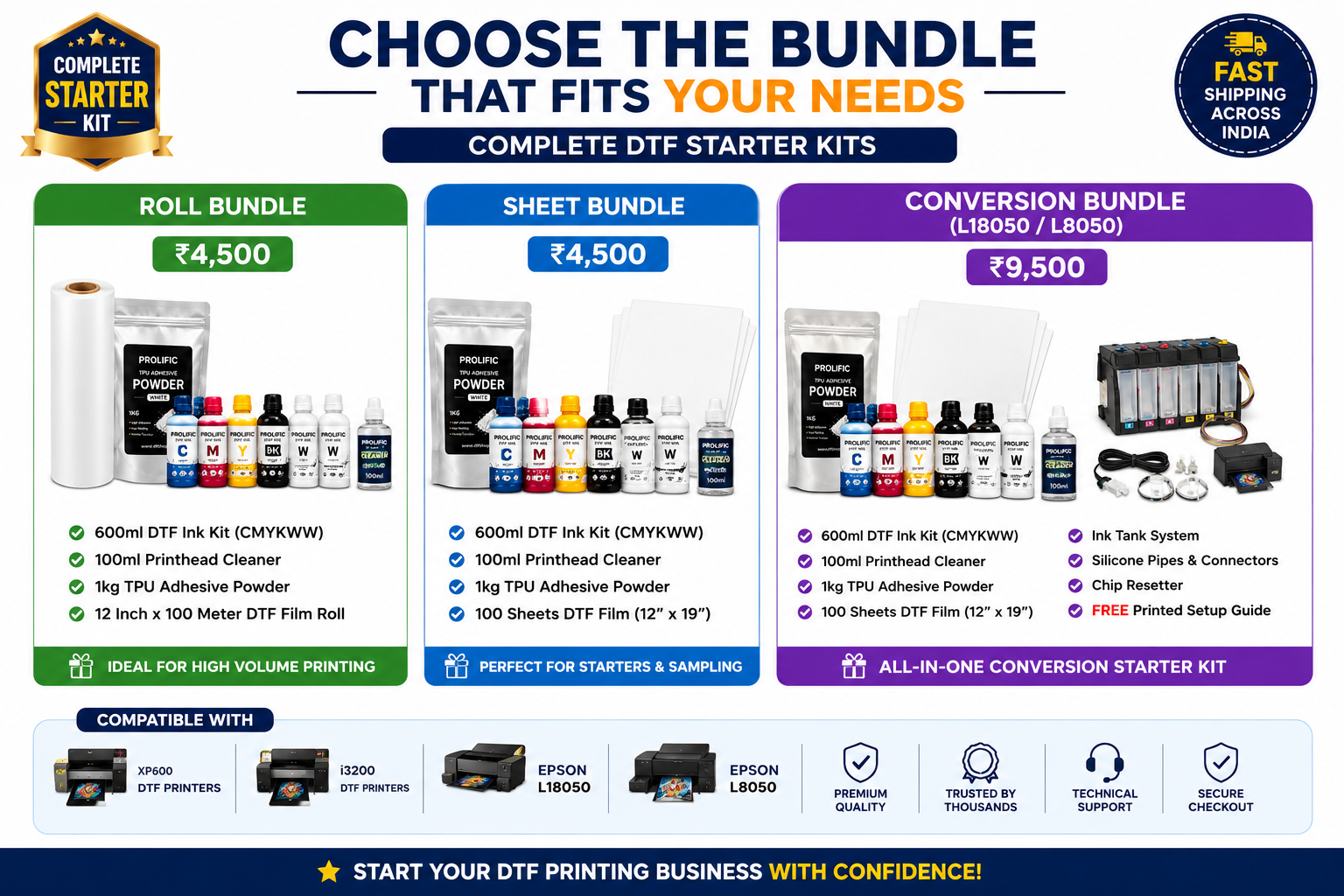
DTF Starter Kit Bundle Comparison Roll Bundle Sheet Bundle and L18050 Conversion Bundle.
Daily use and practical checks
When working with DTF Business Starter Bundle, use one complete sample transfer to establish the working recipe. The useful starting point is a repeatable finished print, not merely having every item unpacked on the bench.
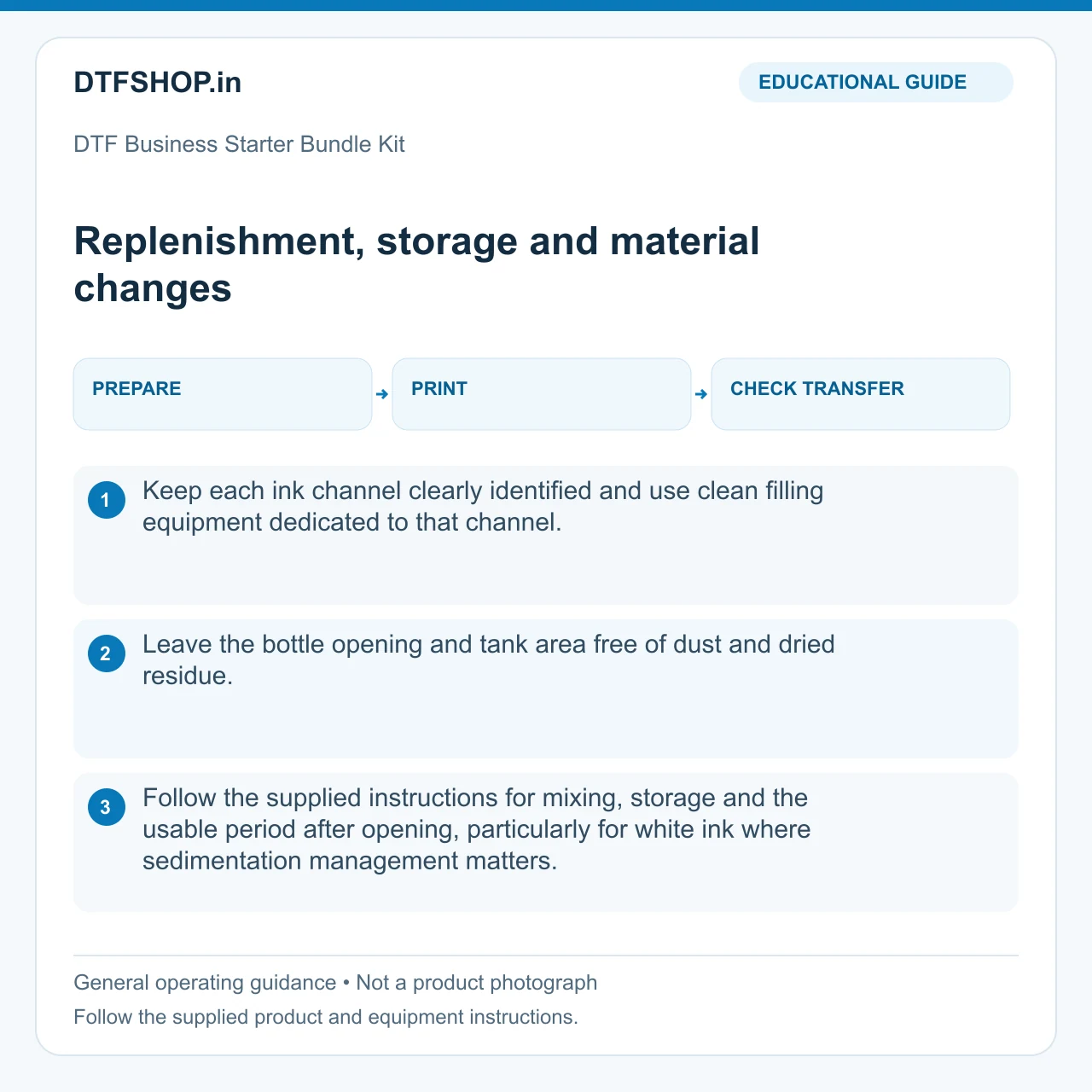
Illustrated guide: replenishment storage and material chang. Educational illustration, not a product photograph.
Specifications and available options
Bundle Type
Roll Bundle, Sheet Bundle, DTF Conversion Starter Bundle (L18050/L8050)
Choose the required variation to select the size, colour or configuration for your order.
For DTF Business Starter Bundle, keep the supplied maintenance schedule, service access and work area in the daily routine. Record stable settings for each material combination. Use the machine documentation for electrical requirements, ventilation and installation rather than transferring values from a different model.
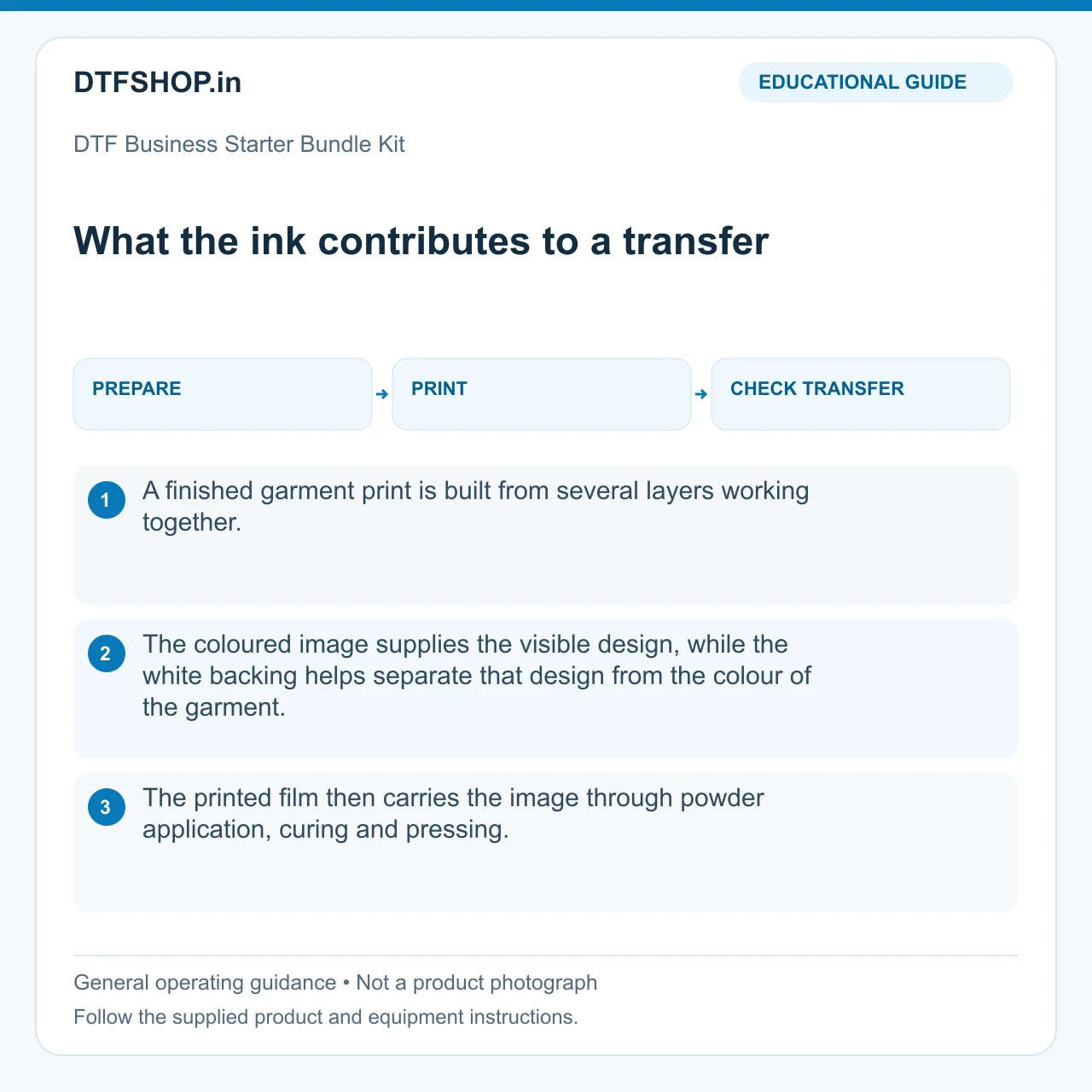
Illustrated guide: what the ink contributes to a transfer. Educational illustration, not a product photograph.
Building the production workflow around the machine
A printer or processing unit delivers its best practical value when the stages around it are planned together. Artwork preparation, material loading, printing, curing or transfer, and finished-output inspection each take time. The configuration described above establishes the role of this machine in that sequence. Nominal width, head count or platen arrangement are useful specifications, but they do not alone describe completed daily output.
Build the workflow around the actual jobs being produced, including the size of the designs, material changes and the time needed for setup and routine care between batches.
Artwork, output modes and usable quality
Use representative files when establishing an operating baseline. Fine text, solid coverage, gradients and open spaces reveal different aspects of output quality. The selected software mode affects how the machine handles the file and how long the job takes. Save the preset once an acceptable result has been established and retain the approved sample alongside it.
A demonstration file with sparse artwork is not a complete reference for a dense production design. For repeat work, keep the artwork version and intended finished dimensions clear so a later software or layout change does not become an unnoticed production difference.
Media handling and the working area
Material should enter the working zone in the position and condition required by the machine. Roll-fed equipment needs a supported path with consistent alignment, while a platen arrangement needs flat loading and suitable clearance around the item. Keep the operator's loading area, output area and maintenance access practical.
A machine that is awkward to load or clean can lose useful production time even when its printing stage is fast. Plan where consumables and finished work will be held so they remain protected from dust, accidental contact and unnecessary movement through the workshop.
Commissioning and establishing stable settings
Installation is the point at which the supplied configuration, materials and operating instructions should be brought together. Use the machine documentation for electrical requirements, service clearances, ventilation and any auxiliary equipment. Establish a stable baseline before trying to optimise throughput. Confirm the relevant checks for the machine, such as media tracking, nozzle condition, alignment, temperature control or consistent contact.
Record those results along with the working recipe. If a setting is later changed, retain the previous value and sample so the effect can be evaluated rather than relying on memory of how a job looked before the adjustment.
Maintenance as part of normal production
Routine care protects consistency and should have a place in the daily schedule. Clean the specified areas, maintain the relevant fluid or media systems and monitor the components identified in the supplied service instructions. Keep a simple log of maintenance, material changes and unusual observations. A recurring defect is easier to investigate when its timing can be compared with an ink change, cleaning event or new media batch.
Use the correct service method and consumables for the installed technology. Procedures intended for an aqueous garment-transfer printer, a sublimation machine and a UV system should remain distinct.
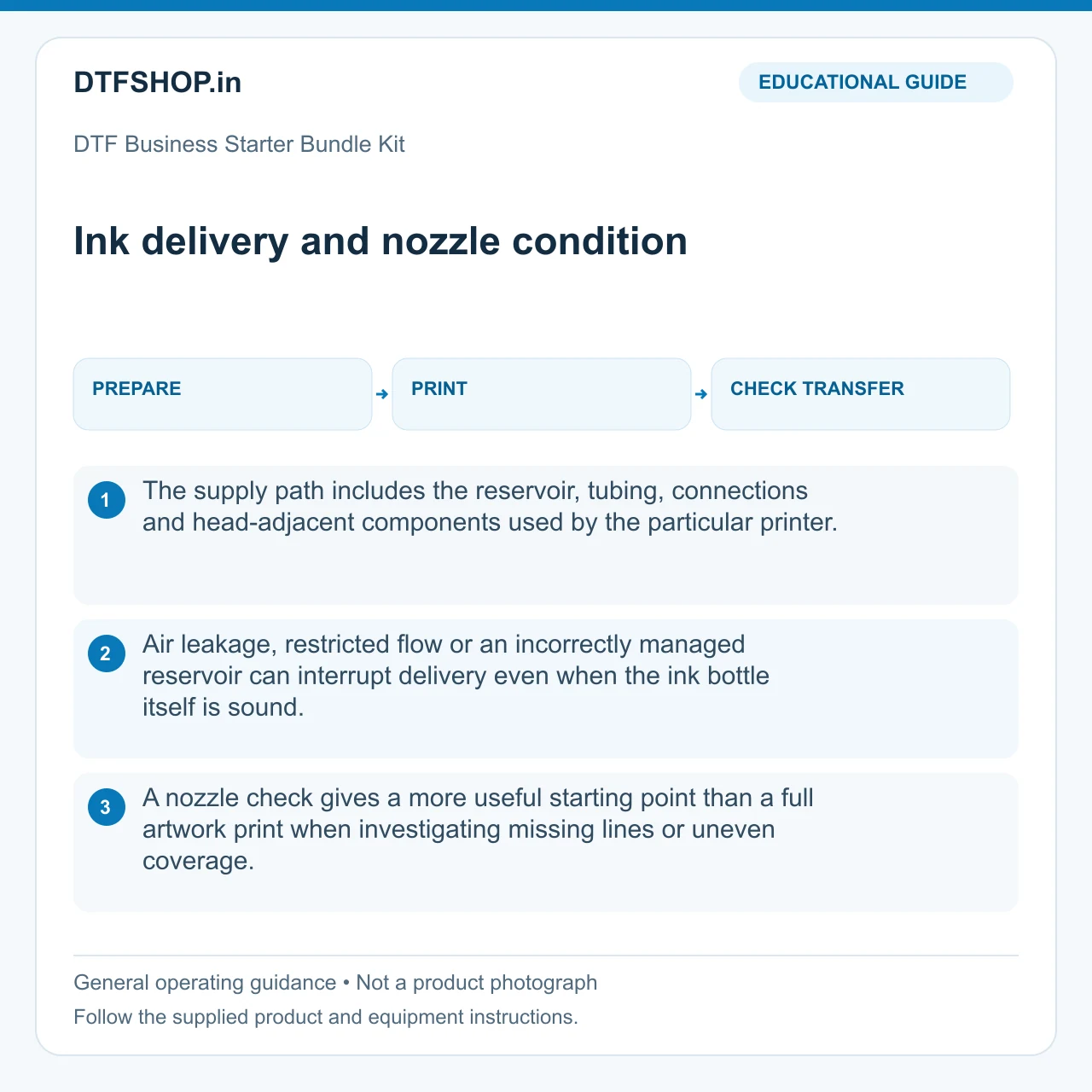
Illustrated guide: ink delivery and nozzle condition. Educational illustration, not a product photograph.
Assessing capacity with meaningful evidence
The useful capacity measure is accepted finished work in the quality mode required by the business. Include setup, handling, maintenance and the downstream process when estimating that capacity. Compare samples using the same artwork dimensions and acceptance standard. Record rejected output as well as successful output so a faster setting is not mistaken for a better production result.
When the workflow is stable, keep the configuration and approved process documented for other operators. This creates a realistic basis for repeat orders, material planning and support, while avoiding unsupported promises about output speed, unattended operation or compatibility with every application.
Recommended Add-ons from DTFShop
To complete the workflow, you may also check these related DTFShop products when they match your machine or printing process:
Only a pack explicitly described as a set includes its stated colours. On a selected-colour listing, choose the required channel and pack size. Keep white ink, colour ink and maintenance fluid separately labelled; cleaner is not an ink additive.
How do I evaluate a new ink supply?
Use a stable nozzle check and a small repeatable artwork file. Keep the film or paper and the remaining process settings constant. Compare the finished item rather than making several colour and ink-limit changes at the same time.
What is included with DTF Business Starter Bundle?
The package-contents section above lists the supplied item and quantity. Choose the stated option when alternatives are available; a gallery showing several examples does not turn one selected option into a combined set.
Product video guides
Conversion workflow reference
A4 DTF Roll-to-Roll Kit | DIY Conversion Overview
A4 DIY roll kit overview; this L18050 bundle differs. Check all supplied components before installation.
Reference videos explain a method or related model. They do not certify your supplied machine, consumable batch or print results. Follow the exact product manual and recommended settings.
Related installation tutorial
L8050 / L18050 CISS and white-ink conversion installation reference
Third-party conversion guide for the stated Epson model family. The demonstrated CISS, fittings and conversion kit may differ from the item supplied by DTFshop. Follow your supplied kit instructions.
Roll Bundle, Sheet Bundle, DTF Conversion Starter Bundle (L18050/L8050)
Reviews
There are no reviews yet.
Be the first to review “DTF Business Starter Bundle Kit – DTF Ink, Film, Powder & L18050 Conversion Kit” Cancel reply
1. What is included in the DTF Starter Kit?
The contents depend on the bundle selected. All bundles include 600ml DTF Ink, 100ml Printhead Cleaner and 1kg TPU Adhesive Powder. Depending on the variation, you will also receive either a DTF Film Roll, DTF Film Sheets, or additional conversion accessories for Epson L18050/L8050 printers.
2. What is the difference between the Roll Bundle and Sheet Bundle?
The Roll Bundle includes a 12-inch × 100-meter DTF film roll, which is suitable for continuous production. The Sheet Bundle includes 100 sheets of 12×19 inch DTF film and is ideal for beginners, sampling and lower-volume printing.
3. What is included in the L18050/L8050 Conversion Bundle?
The Conversion Bundle includes DTF Ink, Printhead Cleaner, TPU Powder, 100 DTF Film Sheets, an external ink tank system, silicone pipes, connector fittings, a chip resetter and a FREE printed step-by-step conversion guide.
4. Is this DTF Starter Kit suitable for beginners?
Yes. This bundle is designed for beginners as well as experienced DTF users. It includes the essential consumables required to start DTF printing and eliminates the hassle of sourcing compatible products separately.
5. Is DTF Ink included in the bundle?
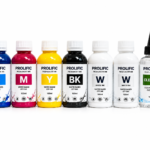
Yes. All bundle variations include a 600ml Premium DTF Ink Kit containing Cyan, Magenta, Yellow, Black and White inks.
6. Is TPU Powder included in the bundle?
Yes. Every bundle includes 1kg of premium hot melt TPU adhesive powder suitable for DTF transfer printing.
7. Is Printhead Cleaner included?
Yes. All bundle options include a 100ml Printhead Cleaning Solution to help maintain print quality and reduce the risk of nozzle blockages.
8. Which printers are compatible with this DTF Starter Kit?
This bundle is compatible with XP600 DTF Printers, i3200 DTF Printers, Epson L18050, Epson L8050 and most standard 12-inch and 24-inch DTF printer setups.
9. Can I use this bundle with an XP600 DTF printer?
Yes. The DTF Ink, Film and TPU Powder included in this bundle are suitable for XP600-based DTF printing systems.
10. Can I use this bundle with an i3200 DTF printer?
Yes. This bundle is compatible with i3200 printhead-based DTF printers and supports both small and production-level printing environments.
11. Can I convert my Epson L18050 into a DTF printer using this bundle?
Yes. The DTF Conversion Starter Bundle includes the accessories commonly required for L18050 DTF conversion, including an ink tank system, chip resetter and installation guide.
12. Can I convert my Epson L8050 into a DTF printer using this bundle?
Yes. The Conversion Bundle is also suitable for Epson L8050 DTF conversion projects and includes the necessary accessories and guidance.
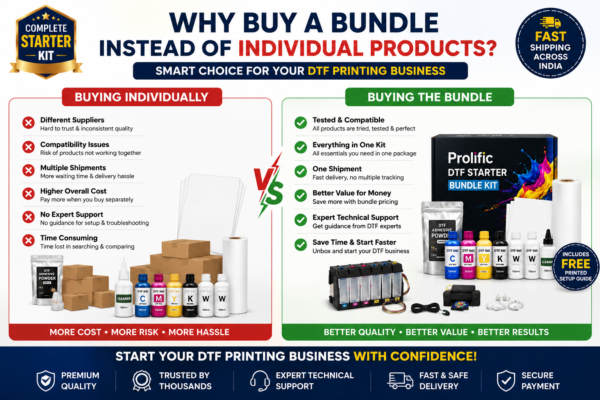
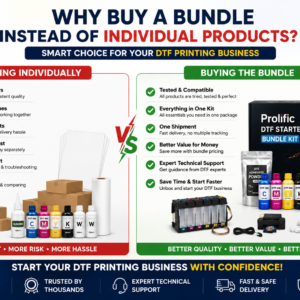
13. Why should I buy a DTF Bundle instead of purchasing items separately?
A bundle helps ensure compatibility between consumables, reduces ordering mistakes, saves time and often costs less than purchasing each product individually.
14. Do you provide technical support after purchase?
Yes. Our team can provide basic guidance and support via WhatsApp to help customers select the right products and get started with DTF printing.
15. Do you ship the DTF Starter Kit across India?
Yes. We dispatch orders across India. Shipping times may vary depending on your location and selected courier service.
Related products
DTF 24-Inch Dual Side Matte Film – Premium PET Roll for DTF Printers | ProlificGeeks / DTFShop.in to Pinterest (opens in a new window)







Reviews
There are no reviews yet.