DTFShop benefitSave up to 18.3%
Includes eligible prepaid saving before GST/fees
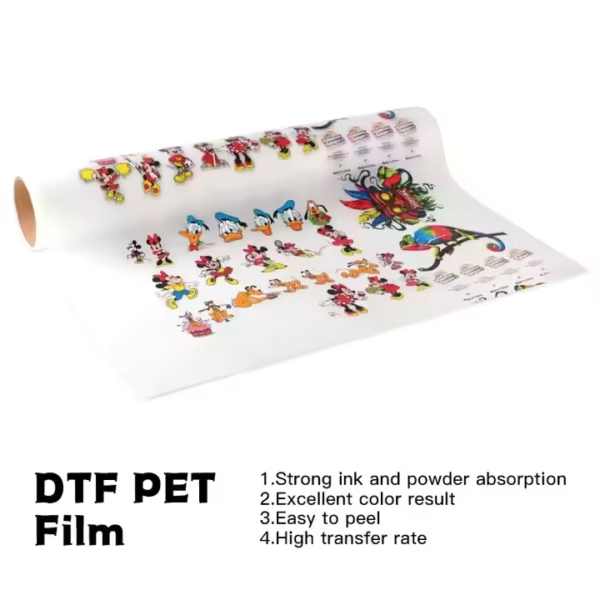
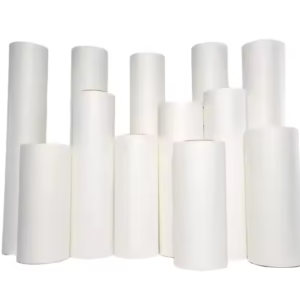
Our DTF 24-Inch Dual Side Matte Film is blank PET carrier media for a compatible textile Direct-to-Film printing line. One roll gives you 100 metres of 24-inch-wide film for arranging garment graphics, logos and gang-sheet artwork along a continuous print length.
DTF 24-Inch Dual Side Matte Film — one blank PET roll, 24 inches wide × 100 metres long, for compatible textile DTF printing lines.
Dual-side matte media with hot/hybrid peel; identify the coated print face.
Bake at 160°C for 15 seconds. Press at 160°C for 15 seconds with heavy pressure.
A second press is recommended; confirm its duration for your setup.
Film only: ink, adhesive powder, printed designs and machinery are separate.
SKU: PG-DTF-FILM-24IN-DUALMATCategory: DTF Pet FIlms
GST invoice available / Shipping calculated at checkout / Product support
Smart Online SavingsYour order cost, explained
Compare automated website ordering—including COD, card/digital payments, rewards and coupons—with a manual/offline order.
Order on DTFShop.inRecommended
Product value₹2,650.00
Prepaid discount (7.5%)−₹198.75
Website shippingCalculated by weight at checkout
GST (18%)+₹441.23
Estimated platform fee (2.36% of total)+₹69.91
Estimated prepaid subtotal₹2,962.39
Weight-based shipping will be added at checkout
Online purchase rewardsEarn and use eligible rewards
Purchase + email couponsGet eligible coupon offers and free promotional coupons by email
✓ Order online anytime, from anywhere✓ Choose COD where available✓ Pay securely by credit card or available digital payment methods✓ Immediate digital payment proof and automatic order confirmation✓ GST invoice available without manual follow-up✓ Automatic tracking and WhatsApp order updates✓ Earn rewards on eligible completed online purchases✓ Receive eligible purchase coupons and free promotional coupons by email
Manual / Offline Order
Product value₹2,650.00
Manual / offline shippingCalculated by actual weight and location
GST (18%)+₹477.00
Prepaid website discount₹0
Website rewards / coupon₹0
Estimated manual order subtotal₹3,127.00
Actual weight/location-based courier charge is extra
• Payment coordinated manually through WhatsApp/bank transfer• Confirmation and invoice may require manual processing• Courier charged on the actual/manual booking basis• Shipment timing and updates are coordinated manually
Estimated saving by ordering prepaid on DTFShop.in₹164.61
before weight-based shipping and any additional eligible rewards or coupon saving
How this estimate works:
Website example uses the 7.5% prepaid discount only when the eligible value is ₹10,000 or below, plus GST 18% and an estimated non-EMI platform fee equal to 2.36% of the subtotal including that fee. Shipping, coupons and final taxes are confirmed at checkout.
Website and manual/offline shipping are excluded from these subtotals because courier charges are calculated from actual weight, dimensions and delivery location.
Final checkout or confirmed manual quotation is authoritative and can change with shipping, coupon, rewards, variation and payment method.
Frequently bought together
Complete your setup
Useful add-ons commonly paired with this product. Choose only what you need.
24-inch dual-matte PET roll — 100-metre roll for garment-transfer production
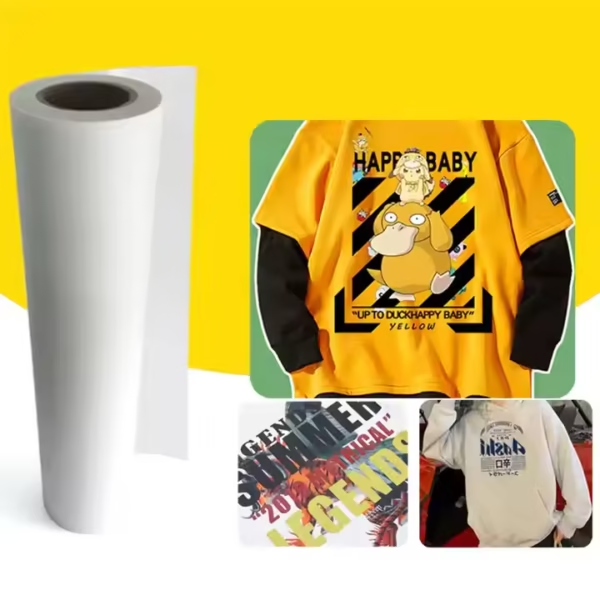
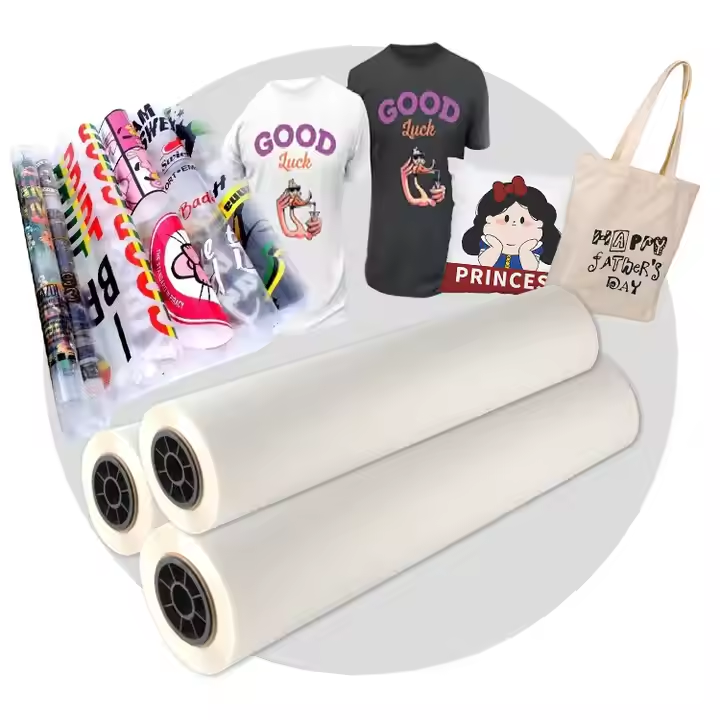
Our DTF 24-Inch Dual Side Matte Film is blank PET carrier media for a compatible textile Direct-to-Film printing line. One roll gives you 100 metres of 24-inch-wide film for arranging garment graphics, logos and gang-sheet artwork along a continuous print length. Use it with suitable DTF ink, adhesive powder, curing equipment and a heat press to produce transfers for your selected garments.
This listing is specifically for dual-side matte roll media. It is not a pack of individual sheets, a roll of ready-printed transfers or UV DTF A+B sticker film. Choose it when your printer, roll holder and downstream powdering equipment accept the physical roll width and your intended artwork fits inside the usable printing area.
What you receive for the listed price
One roll of DTF 24-Inch Dual Side Matte Film, 100 metres long.
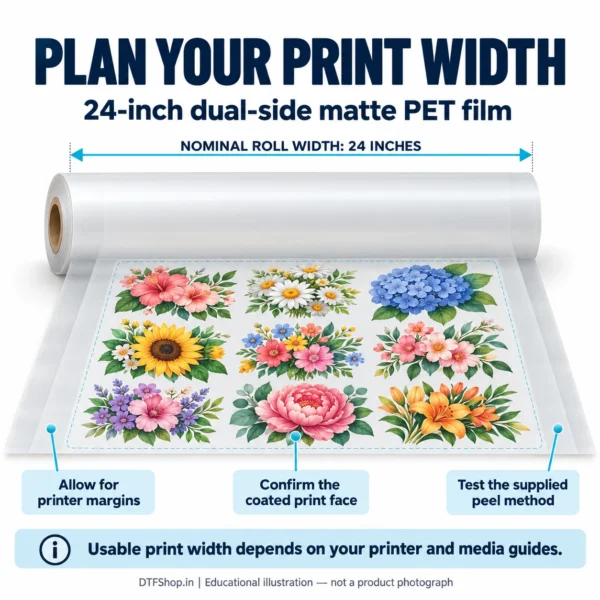
Nominal film width: 24 inches, equivalent to 609.6 mm.
Blank dual-side matte PET film; printed artwork, ink, adhesive powder and machinery are not included.
Quantity 1 means one roll. GST and shipping are shown separately at checkout. Images of garments or printing equipment illustrate the workflow and are not extra supplied items.
Product view.Product view.
Technical details at a glance
Product
DTF 24-Inch Dual Side Matte Film
Carrier material
PET film for textile DTF printing
Physical width
24 inches / 609.6 mm nominal
Roll length
100 metres
Surface option
Dual-side matte
Release grade
Hot peel / hybrid peel; confirm the batch release timing
Order unit
One roll
Dual-side matte describes the surface treatment; it does not mean you should print on both faces. Identify the ink-receiving coated face before loading. Film thickness, roll-core dimensions and packed weight are not confirmed in this specification table; ask our team for the current roll details if your equipment requires a particular core or loading clearance.
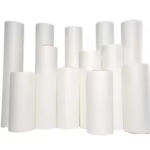
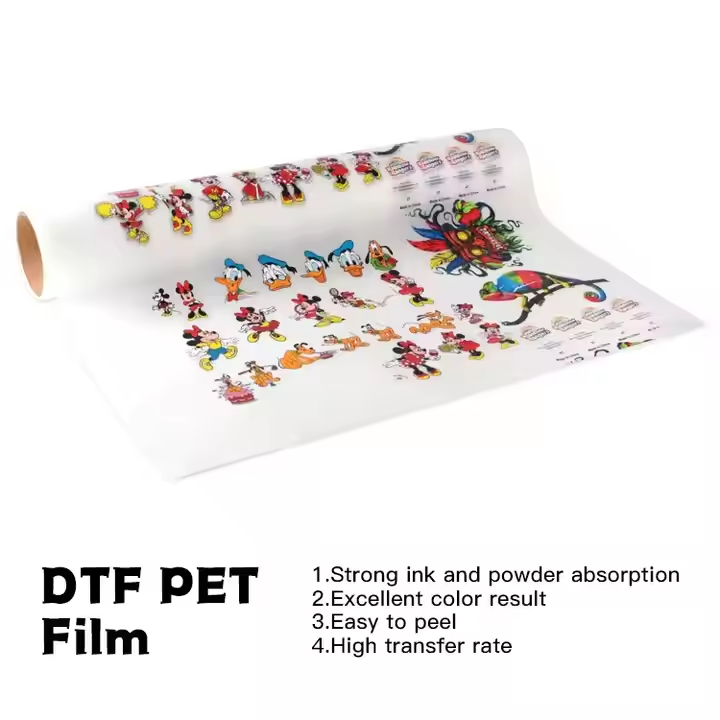
DTF PET transfer film roll.
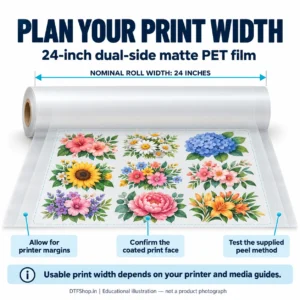
Will this roll fit your printing line?
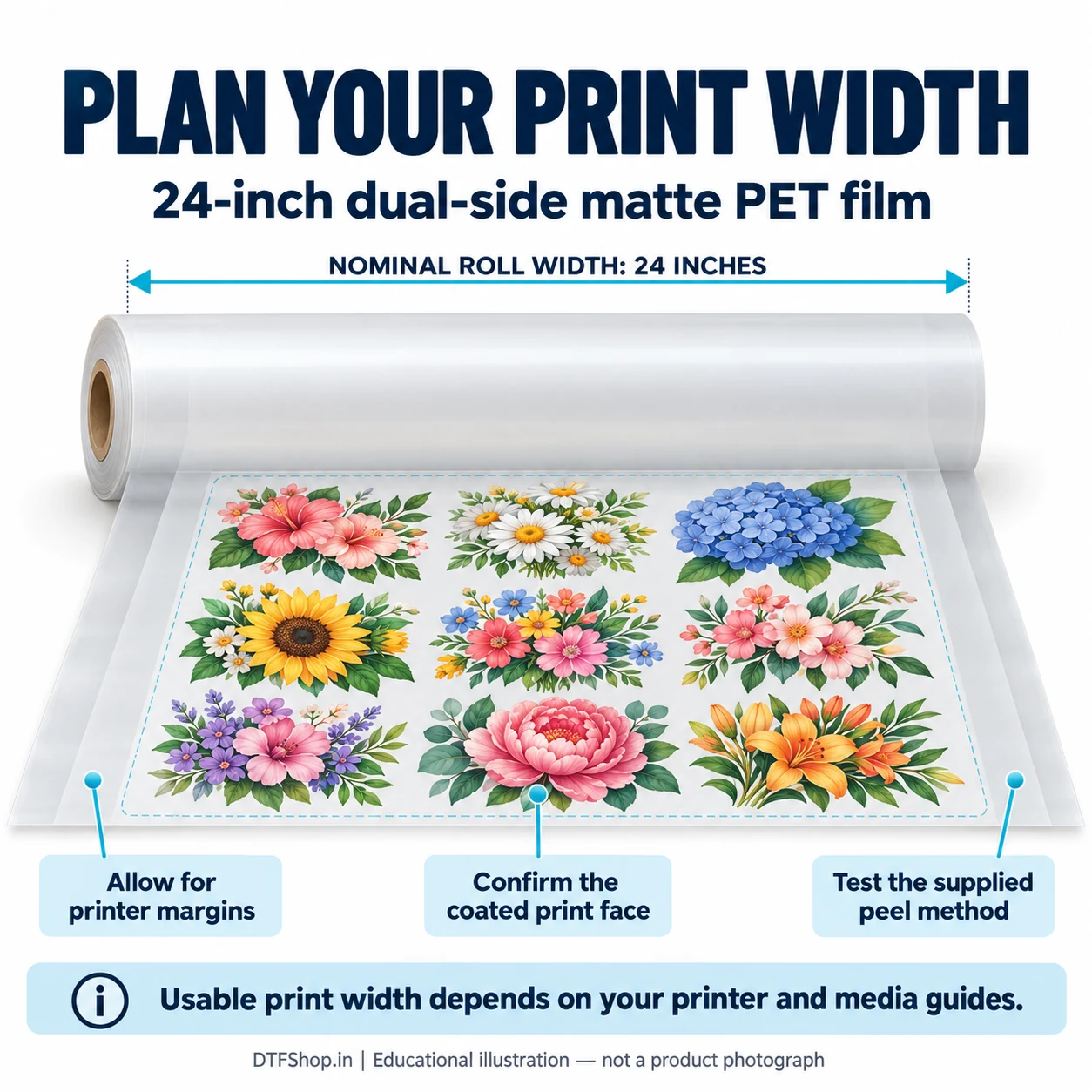
A DTF 24-Inch Dual Side Matte Film roll needs a printer that accepts its actual media width. The phrase “24-inch printer” is not by itself proof that a machine can feed 609.6 mm film or print edge to edge. Check the manufacturer’s maximum media width, working margins and holder clearance. Confirm the usable width of the powder shaker and curing path as well, so the printed film passes through each stage without folding or rubbing.
For gang-sheet production, place smaller logos and larger graphics within the printable area defined by your RIP and machine. Allow space for powder removal, cutting and handling. Nominal roll area is not the same as saleable print yield: loading, calibration, margins and test transfers consume media too. Select a narrower roll if the machine or workload does not benefit from the wider format.
Product view.
Confirmed baking and heat-press instructions
Our store confirms the following working procedure for DTF 24-Inch Dual Side Matte Film. Baking cures the adhesive on the printed film; garment pressing is a separate operation. Test the complete process on your intended fabric with the DTF ink and powder you actually use.
Baking / adhesive curing
160°C for 15 seconds
Garment heat press
160°C for 15 seconds
Pressure
Heavy pressure
Peeling
Hot / hybrid peel, according to the supplied batch instructions
Finishing press
A second press is recommended for good washability. Obtain the second-press duration and cover-sheet recommendation from our team.
Check the actual operating temperature of the equipment rather than relying only on a display setting. For a conveyor shaker, 15 seconds means heated exposure time, not a universal belt-speed number. If your adhesive powder specifies a different curing procedure, resolve the film-and-powder combination before production. Hybrid peel timing and a second-press duration should not be guessed from a different brand’s instructions.
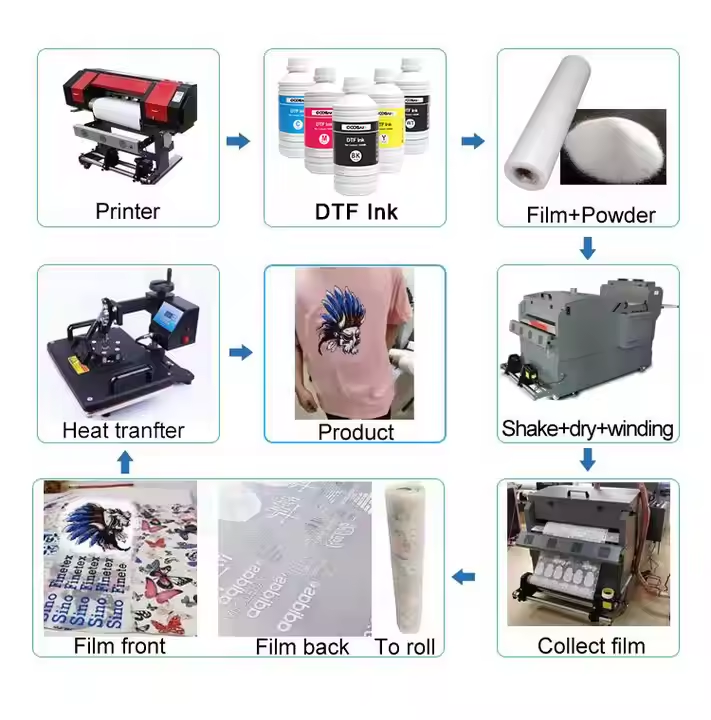
Printing from artwork to finished transfer
Prepare the job: set the correct roll width and mirrored artwork in your DTF RIP. Leave the required side margins and use the white-layer settings established for your ink and printer.
Load and align: place the roll on a compatible holder, identify the print face and square the leading edge to the feed path.
Print and inspect: check a sample with solid colour, small text and open areas before committing to a long run.
Powder the wet image: apply compatible hot-melt adhesive evenly and remove loose powder from unprinted film.
Bake: cure using the working procedure above, adjusted only through a verified process for your equipment and adhesive.
Press and release: position the transfer on the garment, press with the stated procedure and release according to the film’s batch instructions. Complete the recommended finishing press.
Product view.
Keep wide film feeding straight
Support DTF 24-Inch Dual Side Matte Film so the roll turns freely without sideways pull. Inspect the edges for creases before threading the line. Check that the film is not dragging against a bracket or being pulled too tightly between printer, shaker and take-up. Avoid tugging the media by hand while the printer is operating; that can disturb tracking and image placement.
A clean coating matters just as much as neat feeding. Handle the edges where possible and keep fingerprints, dust and loose powder away from the print face before printing. When changing rolls, inspect a representative transfer rather than assuming identical results from the outer appearance of the media.
Illustrated guide to product use, handling or workflow. Educational illustration, not a product photograph.
Troubleshooting and finished-transfer checks
What you see
What to check first
Film skews, wrinkles or rubs
Holder alignment, edge damage, guide position and tension through the line.
Ink pools or fine lettering spreads
Correct print face, contamination and excessive ink loading in the RIP.
Adhesive specks outside the design
Loose-powder removal, moisture and static before baking.
Transfer lifts or releases unevenly
Adhesive curing, even press pressure and the correct peel stage.
Judge the matte appearance, fine detail and adhesion on the finished garment. Fabric dyes, construction, adhesive and pressing conditions can change results. Test stretch and washing on the actual fabric before making promises to your own customer; no universal wash-cycle count or compatibility with every fabric is claimed here.
Illustrated guide to product use, handling or workflow. Educational illustration, not a product photograph.
Storage and repeat production
Keep unused film protected in its packaging, away from dust, moisture, direct heat and physical damage. Protect the roll edges and keep the working surface clean. Identify opened rolls by width, finish and batch so similar-looking media remain distinguishable. Check supplier batch information for shelf life and any specific storage limits.
For repeat work, retain a small finished transfer together with your RIP profile, ink, powder and press procedure. If a result changes, compare one variable at a time. This makes it easier to separate a feeding issue from a coating, curing or release issue and reduces avoidable setup waste.
The gallery’s ProlificGeeks Audley 24-inch printer and DF800L shaker demonstration explains the general wide-format workflow. It is not a certification of this film batch, and the equipment is not supplied with the roll. For help matching DTF 24-Inch Dual Side Matte Film to your machine, contact DTFShop support with your printer and shaker models.
Video: textile DTF workflow
This existing ProlificGeeks demonstration illustrates the related textile DTF production process. It is not a test of every finish, width or supplied batch. The machine and other consumables shown are not included with the film.
Product video guides
Printing / use reference
How to Print DTF Film on Epson L800/L805 | A4 Guide
L800/L805 A4 film printing workflow; roll width, peel type and cure settings vary by product.
Reference videos explain a method or related model. They do not certify your supplied machine, consumable batch or print results. Follow the exact product manual and recommended settings.
Additional information
Weight
7.5 kg
Dimensions
35 × 20 × 20 cm
Reviews
There are no reviews yet.
Be the first to review “DTF 24-Inch Dual Side Matte Film – Premium PET Roll for DTF Printers | ProlificGeeks / DTFShop.in” Cancel reply
Continue on WhatsAppPlease share your details so our team can help you faster.
DTF 24-Inch Dual Side Matte Film – Premium PET Roll for DTF Printers | ProlificGeeks / DTFShop.in₹3,000.00Original price was: ₹3,000.00.₹2,650.00Current price is: ₹2,650.00.
















Reviews
There are no reviews yet.