
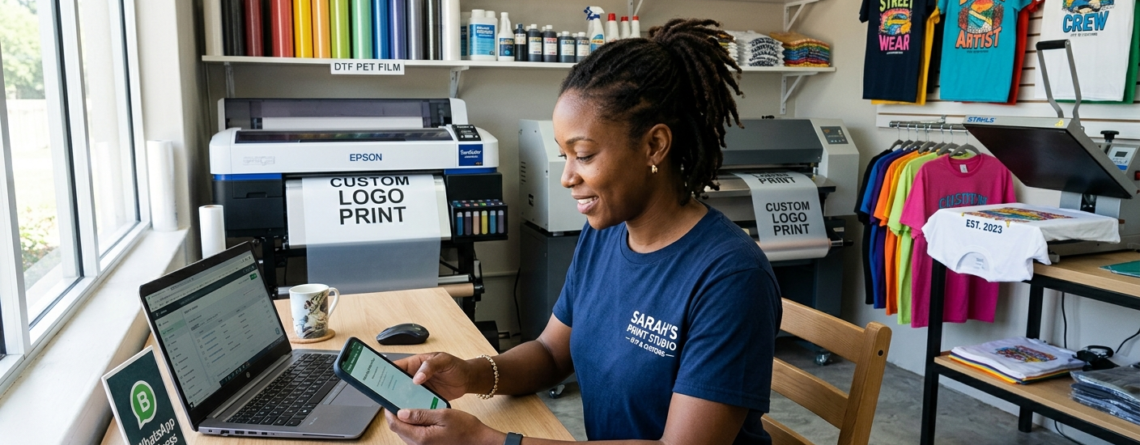
WhatsApp Business for DTF Print Shop: Ultimate Guide to Boost Orders and Customer Trust 2026
Running a DTF printing business today is not only about print quality. Customers also expect fast replies, order updates, pricing details, and easy communication. This is where WhatsApp Business for DTF Print Shop becomes extremely useful.
Many small and medium print shops now use WhatsApp as their main communication tool. Customers already use WhatsApp daily, so they feel comfortable sending artwork, asking for rates, and confirming orders there.
Instead of managing calls, emails, and scattered messages, you can organize everything in one place. A proper WhatsApp Business setup helps you handle customer support, product catalogs, payments, and repeat orders smoothly.
Whether you sell custom T-shirts, gang sheets, transfer films, or printing services, WhatsApp Business for DTF Print Shop can help you look more professional and save time.
Benefits for DTF Print Businesses
There are several advantages of using WhatsApp Business in a print shop.
Faster customer communication
Most customers want quick replies. WhatsApp messages are usually opened faster than emails.
Better order management
You can separate customers using labels like:
- Pending Payment
- Printing in Progress
- Ready to Ship
- Repeat Customer
Easy product showcasing
You can display products directly inside the app using the catalog feature.
For example:
- 🔵 ProlificGeeks DTF Printer L1800
- 🔵 XP600 DTF Printer
- 🔵 i3200 Printhead Machines
- 🔵 DTF PET Film Rolls
- 🔵 DTF Hot Melt Powder
Improved trust
Customers feel safer when they see:
- Business address
- Shop timings
- Product photos
- Customer support
Broadcast marketing
You can send festival offers, new stock alerts, and combo deals to existing buyers.
This is why many growing printing businesses are adopting WhatsApp Business for DTF Print Shop systems instead of depending only on Instagram or Facebook pages.
Step 1: Download and Install WhatsApp Business App
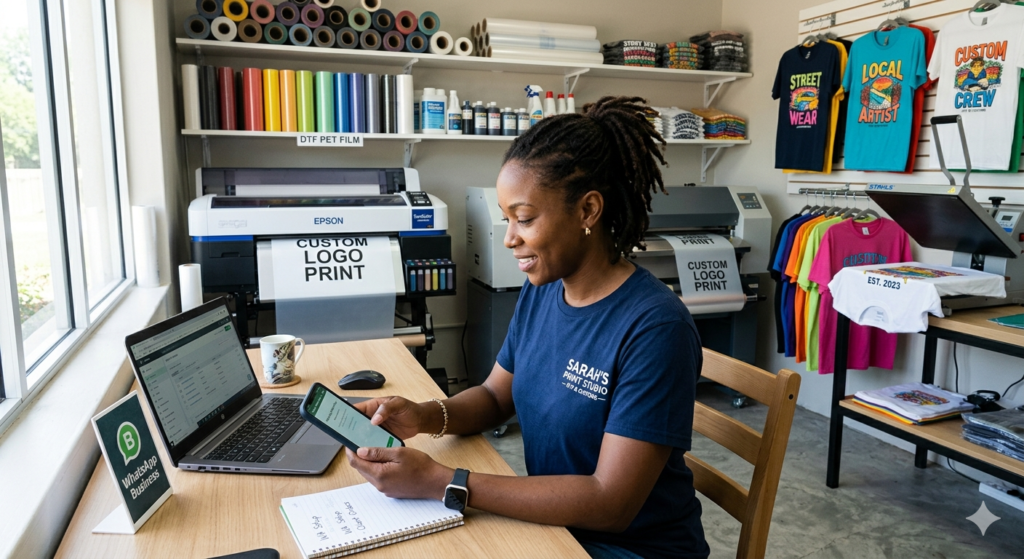
The first step is very simple.
Download the official WhatsApp Business app from:
- Google Play Store
- Apple App Store
Do not use the normal WhatsApp app for business work. The Business version includes:
- Product catalog
- Auto replies
- Labels
- Business profile
- Analytics
Use a dedicated business phone number if possible. It looks more professional and keeps personal chats separate.
After installation:
- Open the app
- Enter your business number
- Verify with OTP
- Restore chats if needed
Now your basic setup is ready.
Step 2: Create and Verify Business Profile
Your business profile is the first thing customers see.
A complete profile builds trust immediately.
Profile photo and name
Use:
- Your shop logo
- Clean brand name
- Simple design
Avoid blurry images.
Example:
“Divyanshree DTF Prints”
or
“Sharma Custom Transfers”
Keep the name short and easy to remember.
Business description
Write a small and clear description.
Example:
“We provide custom DTF printing, PET films, inks, gang sheets, and bulk T-shirt transfer solutions across India.”
Mention:
- Your specialty
- Delivery area
- Experience
This improves the effectiveness of WhatsApp Business for DTF Print Shop communication.
Address and hours
Add:
- Shop address
- Google Maps location
- Working hours
- Website if available
Customers prefer businesses with complete information.
Example:
Monday–Saturday
10 AM – 7 PM
Step 3: Set Up Product Catalog for DTF Products
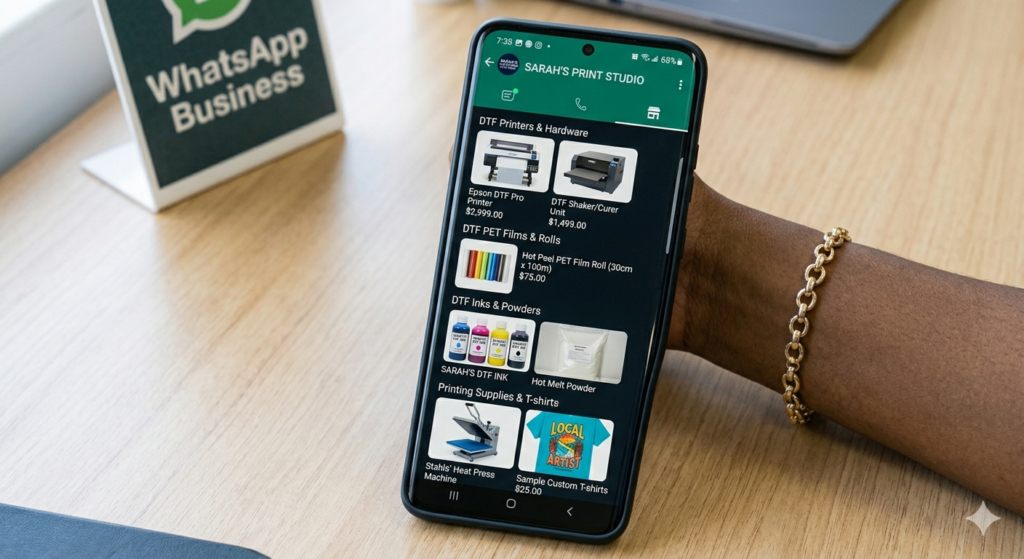
The catalog section is one of the most powerful features.
It works like a mini online store inside WhatsApp.
Customers can browse products without asking repeatedly.
Adding DTF printers, films, inks
Add your main products one by one.
Examples:
- 🔵 ProlificGeeks DTF Printer L1800
- 🔵 XP600 DTF Printing Machine
- 🔵 i3200 Dual Head Printer
- 🔵 DTF PET Film A3 Rolls
- 🔵 DTF Ink CMYK + White Set
For every product include:
- Product name
- Price
- Description
- Product photo
High-quality images and pricing
Always upload:
- Bright images
- Real product photos
- Simple background
Avoid low-quality screenshots.
You can also add:
- Printing samples
- T-shirt output
- Packaging images
Transparent pricing helps reduce unnecessary negotiations.
This makes WhatsApp Business for DTF Print Shop much more efficient.
Step 4: Configure Quick Replies and Labels
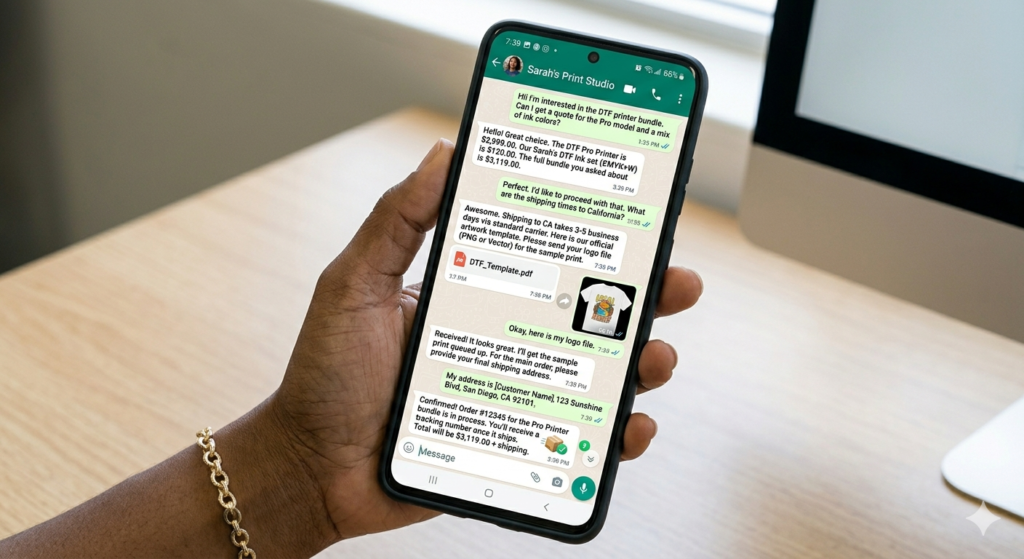
Replying to the same questions every day wastes time.
Quick replies solve this problem.
Common queries (quotes, delivery)
Create shortcuts for common responses.
Examples:
Pricing Reply
“Hello, thank you for contacting us. Please share artwork size, quantity, and fabric type for quotation.”
Delivery Reply
“Orders usually ship within 2–4 working days.”
Artwork Reply
“Please send artwork in PNG format with transparent background.”
These replies save hours every week.
Customer categorization
Use labels smartly.
Suggested labels:
- New Lead
- Paid Order
- Urgent Printing
- Repeat Buyer
- Bulk Client
This helps organize customers properly.
For growing businesses, WhatsApp Business for DTF Print Shop becomes almost like a mini CRM system.
Step 5: Build Customer Lists and Broadcasts
Repeat customers are extremely important in printing businesses.
A school, clothing brand, or local business may order regularly.
Broadcast lists help you stay connected.
Opt-in strategies
Never spam random users.
Ask customers politely:
“Would you like to receive offers and stock updates on WhatsApp?”
This keeps engagement healthy.
You can collect numbers from:
- Existing buyers
- Instagram followers
- Website forms
- Trade exhibitions
Promotional campaigns
You can send:
- Festival discounts
- New machine launches
- Bulk printing offers
- Free shipping deals
Example:
“New stock available for 🔵 XP600 printers and premium PET films.”
Keep messages short and useful.
Step 6: Integrate Payments and Order Tracking
Customers love convenience.
Easy payments increase order confirmations.
WhatsApp Pay setup
You can connect:
- UPI
- Bank account
- QR payment
Customers can pay directly after order confirmation.
This simplifies the process for both sides.
Order confirmations
Send:
- Payment confirmation
- Printing updates
- Dispatch photos
- Tracking numbers
Example:
“Your DTF order has been shipped today via Delhivery.”
Simple updates build customer trust.
Many successful businesses now depend heavily on WhatsApp Business for DTF Print Shop workflows for daily operations.
Advanced Tips: Automation and Chatbots
As orders grow, automation becomes useful.
You can use tools like:
- WhatsApp Business API
- CRM integrations
- Chatbots
Automation examples:
- Instant greeting messages
- Order status replies
- FAQ handling
- Auto-catalog sharing
For example:
If someone types “Price,” the system automatically sends your rate card.
This reduces workload.
But keep human support available too. Customers still prefer real conversations for custom printing work.
Best Practices and Compliance
Follow these practices carefully.
Keep response time fast
Customers usually contact multiple print shops. Fast replies win orders.
Avoid spam
Too many promotional messages may annoy customers.
Use real photos
Do not upload fake print samples.
Maintain professionalism
Even casual WhatsApp chats should remain respectful and clear.
Backup customer data
Save important order details separately.
A professional approach makes WhatsApp Business for DTF Print Shop more successful long term.
Case Studies: DTF Shops Success Stories
Many small print businesses in India started with only Instagram pages.
But after using WhatsApp Business properly, they improved:
- Customer response speed
- Repeat orders
- Payment collection
- Order tracking
One small Lucknow-based print shop started using catalog listings for:
- 🔵 ProlificGeeks DTF Printer L1800
- 🔵 DTF PET Films
- 🔵 i3200 Machines
Customers could instantly check products and pricing.
The result:
- Fewer repetitive calls
- Faster order confirmations
- Better customer trust
Another T-shirt printing business used labels and broadcasts for wholesale buyers. During festival season, they sent stock updates through WhatsApp and received repeat orders quickly.
This shows how practical WhatsApp Business for DTF Print Shop can be in real business situations.
Conclusion and Next Steps
WhatsApp is no longer just a chatting app. For print businesses, it has become a complete customer communication tool.
A proper WhatsApp Business for DTF Print Shop setup helps you:
- Handle customers faster
- Show products professionally
- Manage orders smoothly
- Increase repeat sales
- Build customer trust
Start with simple steps:
- Create business profile
- Upload catalog
- Add quick replies
- Organize customer labels
- Start broadcasts carefully
Small improvements in communication can create big business growth over time.
Product Suggestions (Blue Color)
- 🔵 ProlificGeeks DTF Printer L1800
- 🔵 XP600 DTF Printer
- 🔵 i3200 Dual Head DTF Machine
- 🔵 DTF PET Film Rolls
- 🔵 DTF Ink CMYK + White Set
External References + Credits
Helpful resources:
Credit: Information references from Fespa, PrintIndustry, and other public sources.





LEAVE A COMMENT