
Use an available credit card or digital payment method for automated payment proof, confirmation, invoice and order processing.
No 7.5% prepaid discount above ₹10,000. GST, payment fee and weight-based shipping apply as applicable.-7%


Audley A3 UV DTF Printer (Triple Head XP600) – High-Precision Compact UV Sticker Printer | ProlificGeeks
Original price was: ₹430,000.00.₹400,000.00Current price is: ₹400,000.00.
Reviews
1 customer reviews
Add review
Availability
In stock
Ready to order
DTFShop benefit
Save up to 7%
Product-price saving only; no prepaid discount above ₹10,000
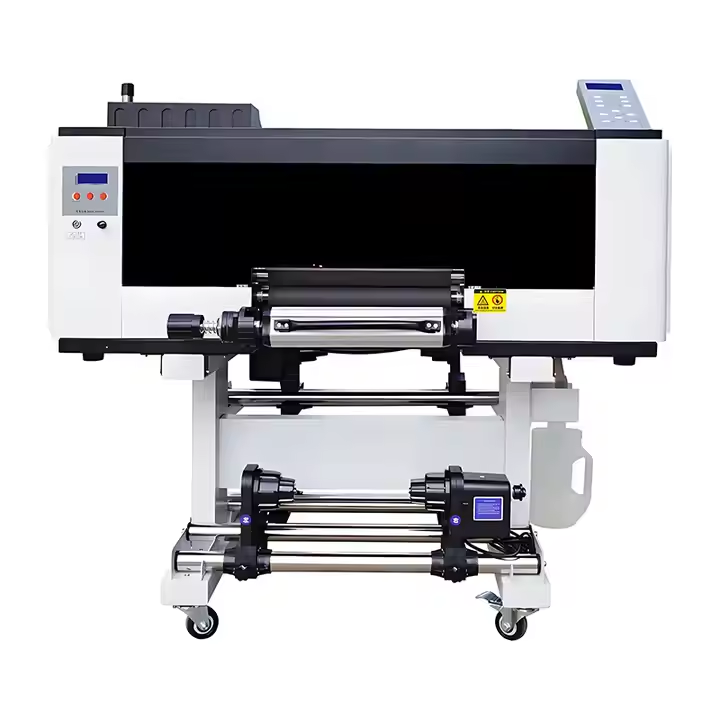
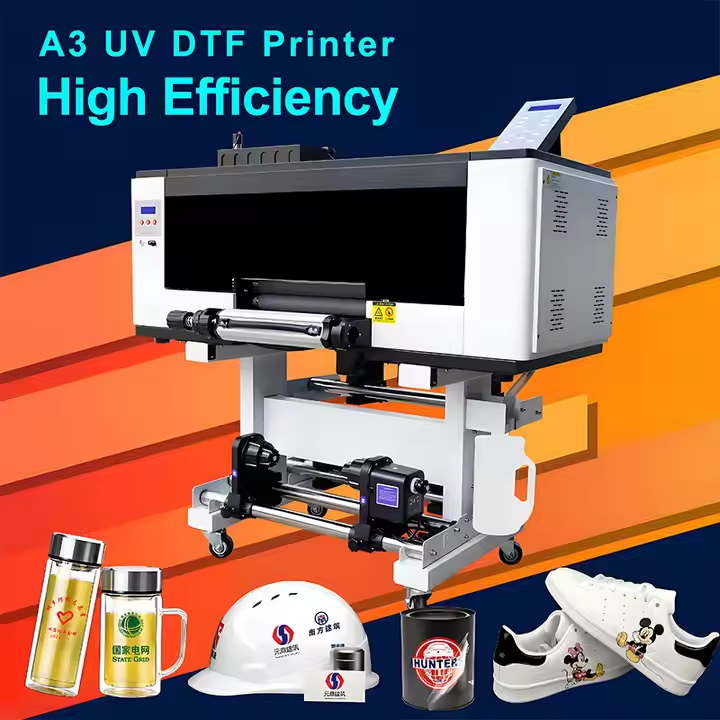
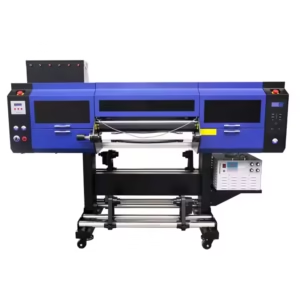
Audley A3 UV DTF Printer is an Audley A3 UV DTF printer with a triple-XP600-head configuration. The compact format produces transfers through a compatible UV ink and A/B-film workflow.
Audley A3 UV DTF Printer is an Audley A3 UV DTF printer with a triple-XP600-head configuration. The compact format produces transfers through a compatible UV ink and A/B-film workflow. The listed head configuration does not turn it into a garment ink-and-powder printer.
What you receive for the listed price
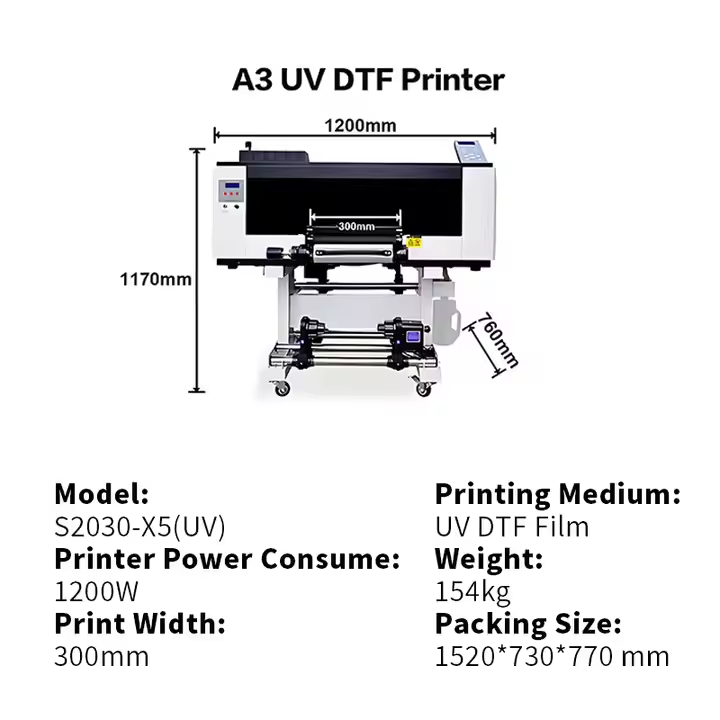
- One Audley A3 UV DTF printer with three XP600 printheads.
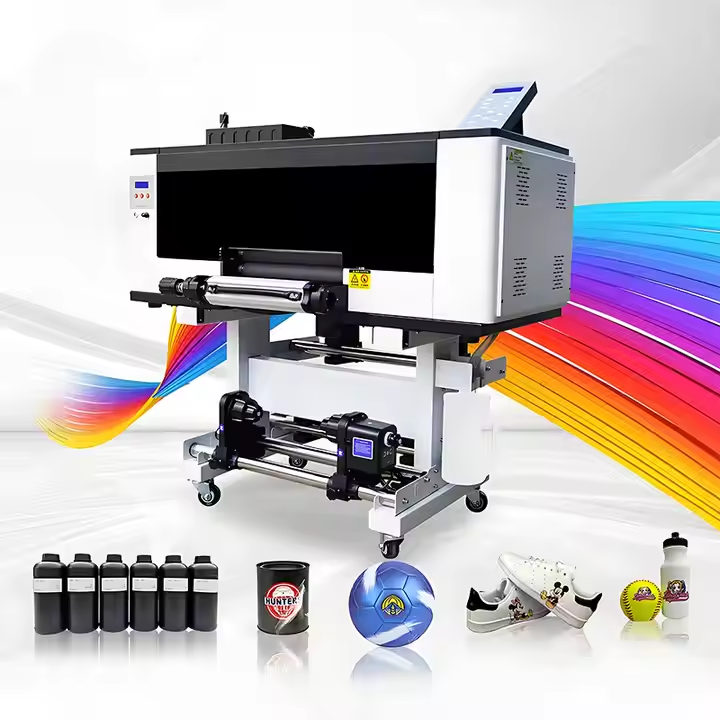
- Six 1 kg bottles: cyan, magenta, yellow, black, white and varnish (CMYKWV), totalling 6 kg.
- One matching 12-inch A+B film set supplied free: one 100-metre A-film roll and one 100-metre B-film roll.
- Free installation.
- Three free service visits.
- One-year dedicated warranty, subject to the store warranty terms.
Warranty details: Printheads are excluded under the published store policy. Read warranty and service terms for coverage and exclusions.
Applicable taxes and shipping, where relevant, are shown at checkout. Gallery guides and demonstration equipment explain use; they are not additional supplied items.
GST invoice available / Shipping calculated at checkout / Product support
Payment Options
Order online with automated confirmation and flexible payment choices
Choose prepaid, COD where available, credit card, digital payment or eligible EMI assistance.
For high-value products, our team may verify your order, address and delivery possibility before dispatch.
COD availability depends on product, location and order confirmation.We can assist with EMI or credit-card payment link options where available.
Ask on WhatsApp
✓ Automated order confirmation and digital payment proof
✓ COD option where available and approved
✓ Credit-card, digital-payment and eligible EMI choices
✓ GST invoice, tracking and WhatsApp updates
✓ Eligible purchase rewards and promotional coupons by email
Note:
EMI may be available up to ₹5,00,000, subject to bank/card eligibility. Available payment methods are confirmed at checkout.
Frequently bought together
Ask expert
Complete your setup
Useful add-ons commonly paired with this product. Choose only what you need.
- Description
- Additional information
- Reviews (1)
Description
Audley A3 UV DTF Printer — Overview and practical use
Audley A3 UV DTF Printer is an Audley A3 UV DTF printer with a triple-XP600-head configuration. The compact format produces transfers through a compatible UV ink and A/B-film workflow. The listed head configuration does not turn it into a garment ink-and-powder printer.
What you receive for the listed price
- One Audley A3 UV DTF printer with three XP600 printheads.
- Six 1 kg bottles: cyan, magenta, yellow, black, white and varnish (CMYKWV), totalling 6 kg.
- One matching 12-inch A+B film set supplied free: one 100-metre A-film roll and one 100-metre B-film roll.
- Free installation.
- Three free service visits.
- One-year dedicated warranty, subject to the store warranty terms.
Warranty details: Printheads are excluded under the published store policy. Read warranty and service terms for coverage and exclusions.
Applicable taxes and shipping, where relevant, are shown at checkout. Gallery guides and demonstration equipment explain use; they are not additional supplied items.
Curing and the intended application
UV printing uses an ink system and curing arrangement designed to work together. Direct flatbed printing and UV DTF film transfer have different media paths. Adhesion and surface preparation must be evaluated for the actual object rather than assumed from its material name alone.
Daily use and practical checks
When working with Audley A3 UV DTF Printer, judge a sample on the actual intended surface. Adhesion, small text and the final raised appearance can vary with the film, print settings and object finish.
Material consistency in production
For Audley A3 UV DTF Printer, protect UV inks and related fluids from unintended light exposure and use compatible materials. Keep film, ink and cleaning products identified by system. Follow the supplied safety and handling instructions rather than borrowing procedures from an aqueous garment-DTF line.
Understanding the UV printing workflow
UV printing uses a compatible ink and curing arrangement to form the image on the intended media. Direct printing onto a flat object and printing a transferable decoration on UV DTF film use different media paths. The role described above identifies which part of that workflow this item serves.
Ink, film, cleaner and equipment should be selected as one supported system. A common colour name or similar printer width does not establish that two systems use the same materials. Keeping the workflow clearly identified helps the operator make sensible choices about setup, handling and finished-output evaluation.
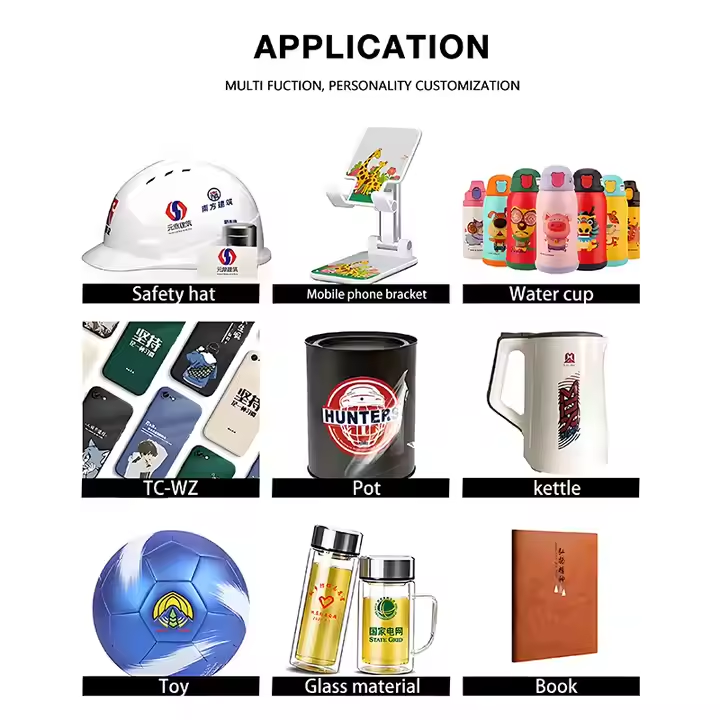
Direct printing and film transfer applications
In a flatbed workflow, the object or sheet is positioned within the machine's supported working area. Surface preparation, object height and stable positioning affect the result. In a UV DTF workflow, a matched adhesive-film arrangement carries the decoration to the object through the specified application sequence.
These methods can serve different shapes and production needs. Choose the method around the actual job rather than assuming that every UV system handles every substrate in the same way. The final application must be assessed on its real surface, including coatings, texture, curvature and the way the object will be handled.
Curing, adhesion and surface behaviour
The ink system and curing arrangement need to be compatible with each other and the intended application. A surface that looks dry is only one observation; adhesion and finished behaviour also matter. Hard, soft and hybrid ink descriptions refer to intended formulation behaviour, rather than a universal ranking from good to better.
Use the supplied material guidance when evaluating a formulation. Keep surface preparation and application conditions consistent during a test. Avoid extending an ordinary adhesion sample into claims about food contact, dishwashing, outdoor life or chemical resistance unless the specific materials and process have supporting evidence for those claims.
Handling film and printed decorations
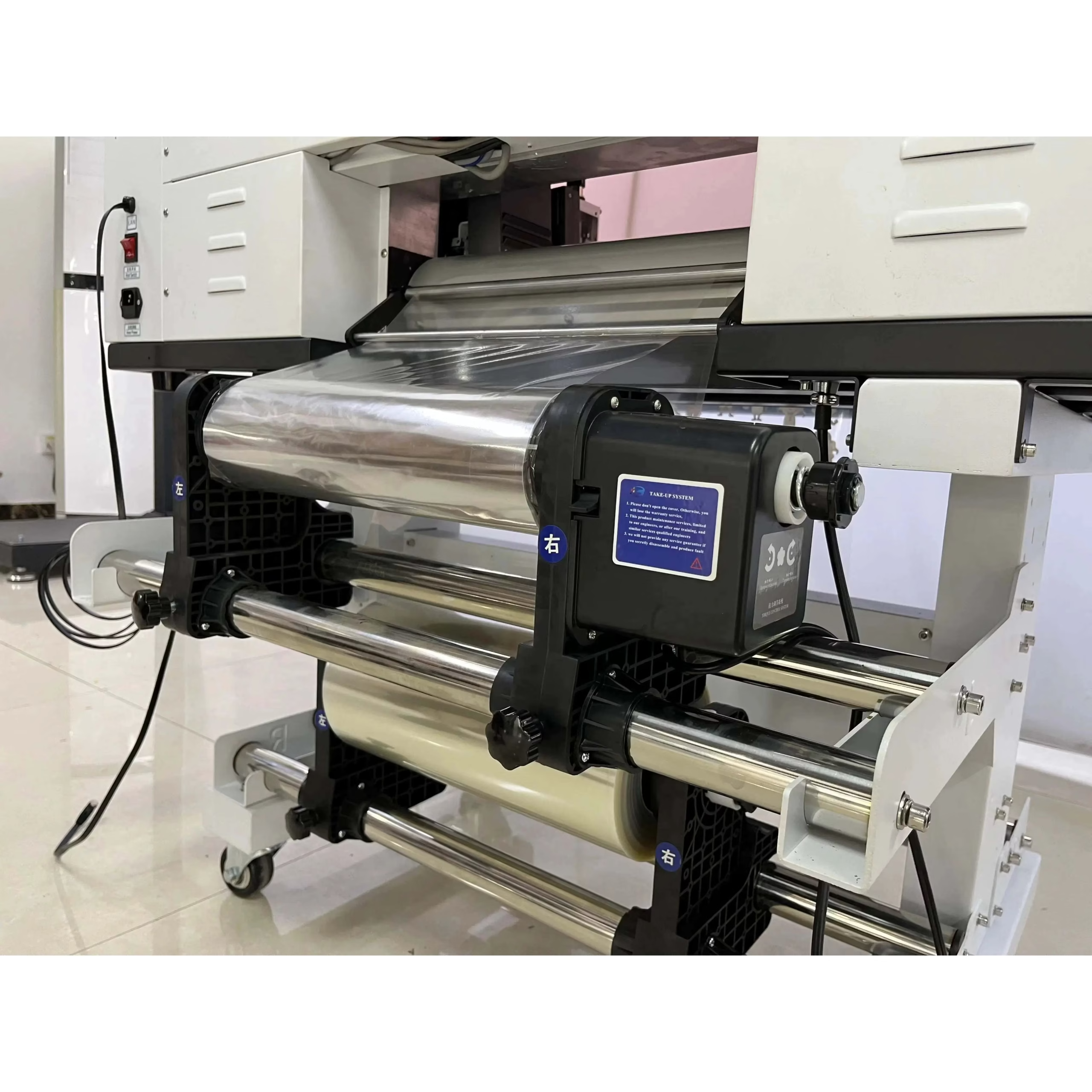
Where UV DTF film is used, follow the matched film system's lamination, positioning and release instructions. Keep the working surfaces free of dust, fingerprints and creases. Smooth application helps avoid trapped air and local contact differences around the artwork. Test a design with fine features and larger solid areas so the transfer behaviour can be seen across different shapes.
A textured or strongly curved object may need a different application approach from a flat smooth surface. Record the material and preparation method used for an accepted sample so a repeat job starts from an established procedure.
Keeping the materials and machine organised
Protect UV ink and related fluids from unintended light exposure and follow their supplied storage information. Keep maintenance products separate from printing consumables and labelled for the installed system. Use the equipment documentation for cleaning, curing-unit service and safe access to the working area. Head height, media positioning and clearances are machine settings rather than properties of the artwork file.
For roll workflows, track alignment through printing and lamination; for flatbed work, keep jigs and objects stable. The purpose is consistent control of the whole image path, without borrowing an aqueous garment-transfer routine for a different chemistry.
A useful finished-output evaluation
Retain an accepted sample and note the ink, film or substrate, preparation and working settings. Inspect small text, image edges, colour and surface contact under consistent lighting. Judge the result after the handling stage specified by the materials, using a test appropriate to the intended item.
If a defect appears, compare one process change at a time rather than changing ink, film, curing and application together. A repeatable sample provides a clearer production reference than a general claim of universal adhesion. It also helps distinguish material compatibility, machine setup and application technique when technical support is needed.
Recommended Add-ons from DTFShop
To complete the workflow, you may also check these related DTFShop products when they match your machine or printing process:
Product video guides
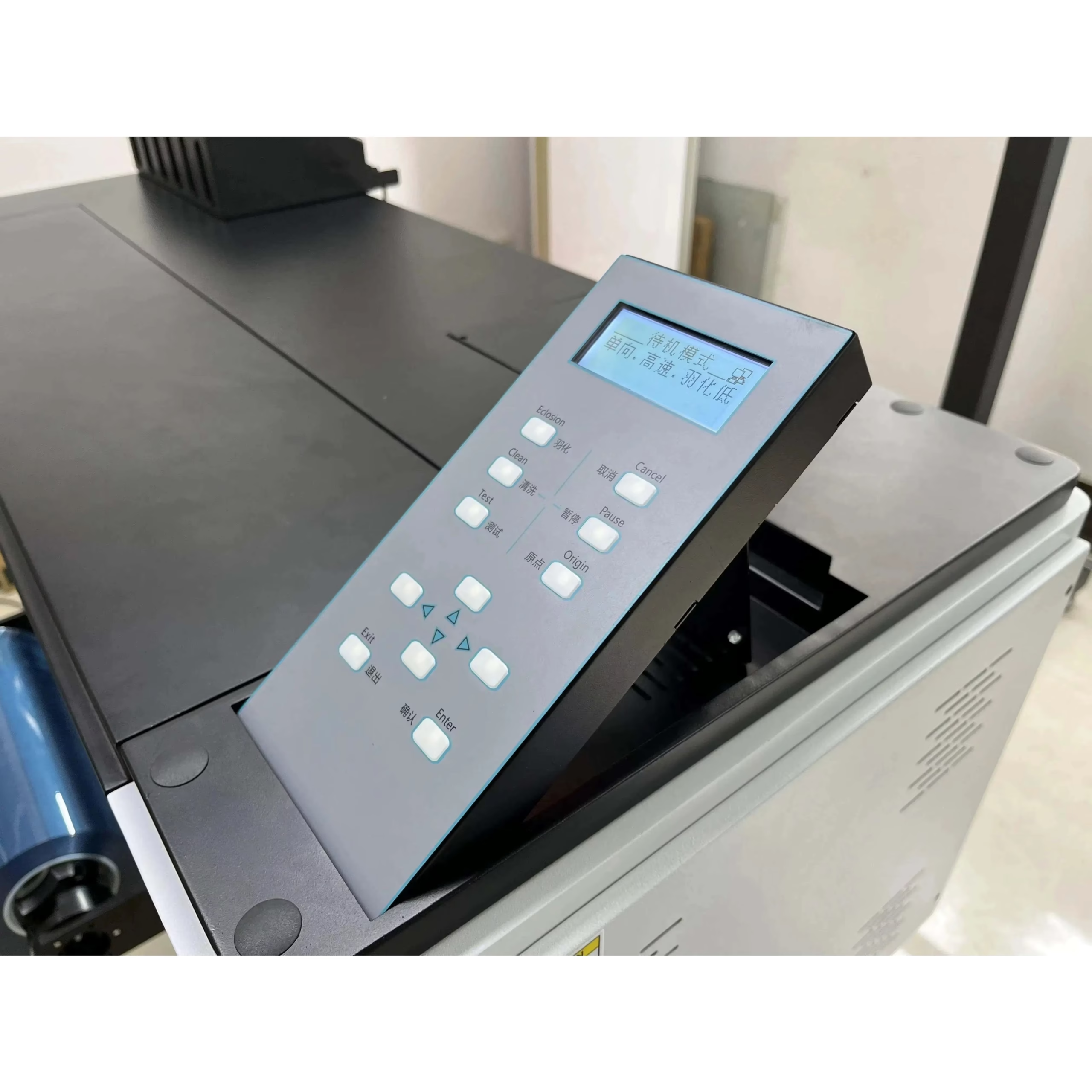
Printer operation
Audley A1/A3 UV Flatbed Printer | Quick Working Demo
Audley A3 UV printer demonstration; verify triple-head UV-DTF configuration.
Source: ProlificGeeks
Watch on YouTubeReference videos explain a method or related model. They do not certify your supplied machine, consumable batch or print results. Follow the exact product manual and recommended settings.
Practical questions
What is a useful production demonstration?
Use artwork and materials similar to the jobs you intend to sell. Inspect finished output, setup time and the downstream processing stage. Head count or nominal width alone does not establish usable production speed at your required quality.
What should the operator save for repeat jobs?
Keep the artwork version, print preset, material identity and approved finished sample together. Record routine maintenance and any setup changes. A known reference job helps distinguish a file change from a transport, ink or calibration problem.
Additional information
| Weight | 200 kg |
|---|---|
| Dimensions | 120 × 90 × 90 cm |
Sanjay Dutt –
This triple head configuration has boosted our output rate dramatically. White base, CMYK, and varnish in a single continuous pass.