Sublimation A4 Paper 120 GSM – Instant Dry, High-Transfer Premium Heat Transfer Paper | ProlificGeeks / DTFShop.in
-13%
Sublimation A4 Paper 120 GSM – Instant Dry, High-Transfer Premium Heat Transfer Paper | ProlificGeeks / DTFShop.in to Pinterest (opens in a new window)
Sublimation A4 Paper 120 GSM
Instant Dry, High-Transfer Premium Heat Transfer Paper | ProlificGeeks / DTFShop.in
Shipping and applicable payment fees are calculated at checkout.
7.5% prepaid savings
₹259.00prepaidSave ₹21.00 before GST, shipping or fees. Eligible orders only.
Cash on Delivery₹330.40Item incl. GST. Shipping and any COD fee extra. Check PIN eligibility.
Our Sublimation A4 Paper 120 GSM is blank coated transfer paper for printing with sublimation ink. Use it to prepare designs for suitable polyester fabric and sublimation-coated blanks, such as compatible mugs, panels or other personalised items.
Sublimation A4 Paper 120 GSM — one pack of 100 blank A4 sheets (210 × 297 mm) for compatible sublimation-ink printing.
For suitable polyester fabric and sublimation-coated blanks.
Paper only: ink, printer, blanks and heat equipment are separate.
Use the coated print face and a tested printer/ink profile.
Press settings depend on the blank. This is not DTF PET film or ordinary cotton-transfer paper.
GST invoice available / Shipping calculated at checkout / Product support
Offers
Razorpay card offers
Razorpay displays offers available for your card at checkout. The issuing bank, minimum spend and other conditions may apply.
Card EMI
Select an eligible card at checkout to see available tenures, interest, fees and the final instalment amount.
Festival coupons
Enter a valid campaign coupon at checkout. Product eligibility, minimum spend, expiry and coupon combinations are checked there.
Bulk-buy coupons
Available quantity discounts depend on the product and order size. Use Request bulk quote to get a price for your requirements.
DTFShop Rewards
The estimate uses the item price before further discounts. Actual points depend on eligible order value after discounts and are credited after completion.
Sign in to check your balance. Redeem from 50 points on eligible orders.
Smart Online SavingsYour order cost, explained
Compare automated website ordering—including COD, card/digital payments, rewards and coupons—with a manual/offline order.
Order on DTFShop.inRecommended
Product value₹280.00
Prepaid discount (7.5%)−₹21.00
Website shippingCalculated by weight at checkout
GST (18%)+₹46.62
Estimated platform fee (2.36% of total)+₹7.39
Estimated prepaid subtotal₹313.01
Weight-based shipping will be added at checkout
Online purchase rewardsEarn and use eligible rewards
Purchase + email couponsGet eligible coupon offers and free promotional coupons by email
✓ Order online anytime, from anywhere✓ Choose COD where available✓ Pay securely by credit card or available digital payment methods✓ Immediate digital payment proof and automatic order confirmation✓ GST invoice available without manual follow-up✓ Automatic tracking and WhatsApp order updates✓ Earn rewards on eligible completed online purchases✓ Receive eligible purchase coupons and free promotional coupons by email
Manual / Offline Order
Product value₹280.00
Manual / offline shippingCalculated by actual weight and location
GST (18%)+₹50.40
Prepaid website discount₹0
Website rewards / coupon₹0
Estimated manual order subtotal₹330.40
Actual weight/location-based courier charge is extra
• Payment coordinated manually through WhatsApp/bank transfer• Confirmation and invoice may require manual processing• Courier charged on the actual/manual booking basis• Shipment timing and updates are coordinated manually
Estimated saving by ordering prepaid on DTFShop.in₹17.39
before weight-based shipping and any additional eligible rewards or coupon saving
How this estimate works:
Website example uses the 7.5% prepaid discount only when the eligible value is ₹10,000 or below, plus GST 18% and an estimated non-EMI platform fee equal to 2.36% of the subtotal including that fee. Shipping, coupons and final taxes are confirmed at checkout.
Website and manual/offline shipping are excluded from these subtotals because courier charges are calculated from actual weight, dimensions and delivery location.
Final checkout or confirmed manual quotation is authoritative and can change with shipping, coupon, rewards, variation and payment method.
Frequently bought together
Complete your setup
Useful add-ons commonly paired with this product. Choose only what you need.
Sublimation A4 Paper 120 GSM — 100 sheets for personalised gifts and fabric prints
Our Sublimation A4 Paper 120 GSM is blank coated transfer paper for printing with sublimation ink. Use it to prepare designs for suitable polyester fabric and sublimation-coated blanks, such as compatible mugs, panels or other personalised items. You print the artwork onto the paper first, then transfer the image to the item using the appropriate heat equipment. The paper is a temporary carrier, not a layer that stays on the finished product.
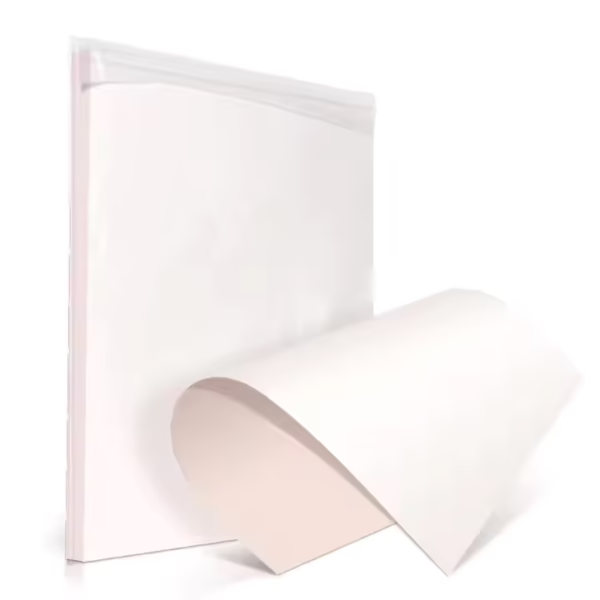
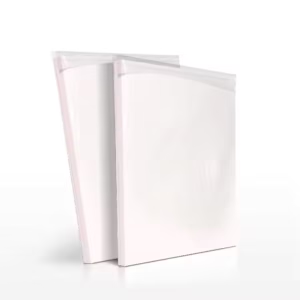
Product image for this paper listing. You receive blank paper, not a printer or ready-printed designs.
What you receive for the listed price
One pack of 100 blank A4 sublimation transfer sheets, 120 GSM.
A4 format: 210 × 297 mm.
Ink, printer, mugs, garments, other blanks and heat equipment are sold separately.
Quantity 1 means one 100-sheet pack. GST and delivery charges are shown separately at checkout. Gallery examples show possible uses; they are not extra items included in the pack.
Product-family view that may show another paper size. This listing supplies A4; use the written dimensions and pack contents when ordering.
Is this the right paper for your job?
Choose Sublimation A4 Paper 120 GSM when you already have, or are setting up, a compatible sublimation-ink workflow. It is not ordinary office paper, DTF PET film or self-adhesive sticker paper. Standard dye or pigment ink does not become sublimation ink simply because it is printed onto this sheet.
Sheet size
A4 — 210 × 297 mm
Paper weight
120 grams per square metre
Pack
100 blank sheets
Required ink
Compatible dye-sublimation ink
Suitable receiving surface
Appropriate polyester fabric or a blank with a sublimation-compatible polymer coating
120 GSM describes paper mass per unit area. It is not the weight of the whole pack and does not specify one universal printer or press preset. Check your printer’s media limits, supported sublimation ink and the blank manufacturer’s instructions as part of the complete setup.
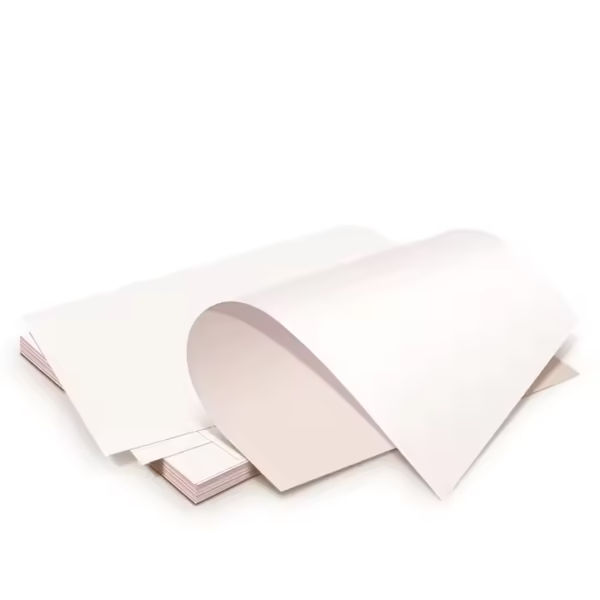
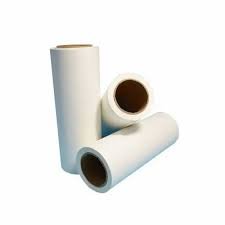
Additional paper-media view. The GSM figure describes the paper; it does not establish a transfer percentage or a press recipe.
Choose a suitable blank before printing
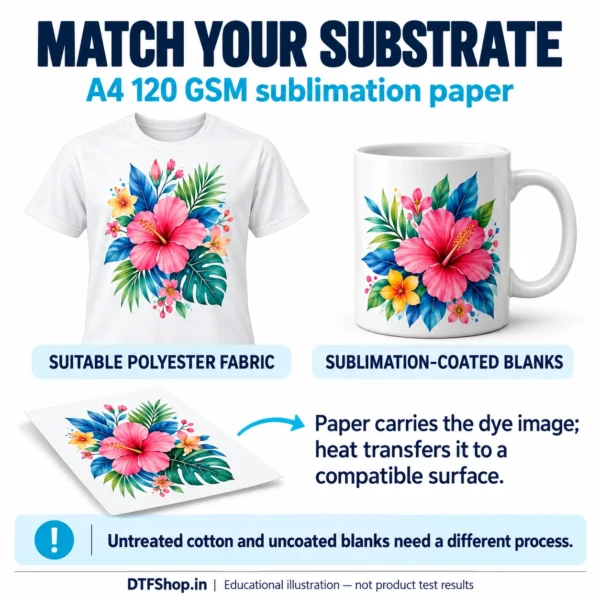
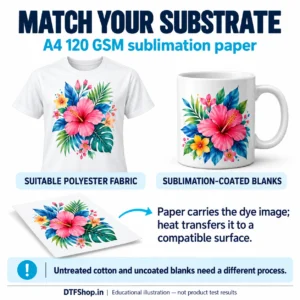
Sublimation needs a receiving surface that works with the dye-transfer process. Suitable polyester fabric and correctly coated rigid blanks are the intended types of application. Untreated cotton, a plain uncoated mug or an arbitrary plastic object will not behave like a verified sublimation blank.
For fabric, lighter backgrounds generally show colour more clearly because ordinary sublimation printing does not add an opaque white underbase. Fabric composition and background colour affect the result. For mugs or panels, the coating and the correct press attachment matter. Ask the blank supplier for its transfer procedure rather than assuming all items use the same settings.
Illustrated substrate guide. Check the actual fabric composition or coating before choosing a blank; this is not a photograph of supplied accessories.
Print on the working side and let the image dry
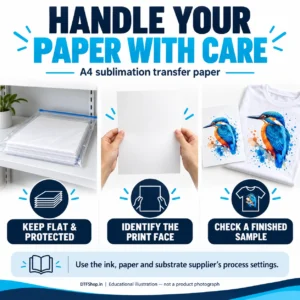
Load Sublimation A4 Paper 120 GSM with the coated print face in the direction required by your printer. Use the pack’s print-side identification rather than assuming both sides are interchangeable. Keep sheets flat, load them squarely and avoid touching or contaminating the printing surface.
Mirror the artwork where the application requires it. Use the profile and media preset established for your printer, ink and paper. Let the printed surface dry sufficiently before handling or pressing; no fixed drying time is promised for every ink load and workshop condition. Keep the image clean and avoid stacking or rubbing wet prints.
Existing paper-gallery view accompanying print-handling guidance. Check your own output rather than relying on a demonstration image as a performance test.
Why the print can look dull before pressing
The paper image is not the finished colour reference. A sublimation print may look less vivid on paper than after transfer onto the suitable coated or polyester surface. Judge colour on the completed item under consistent lighting. Do not keep increasing ink merely to make the paper match a bright monitor preview.
For repeat colours, keep a physical reference sample. If the result changes, check the nozzle pattern, ink/profile combination, blank batch and transfer procedure. Change one factor at a time. That is much easier to troubleshoot than changing the paper, profile and press settings together.
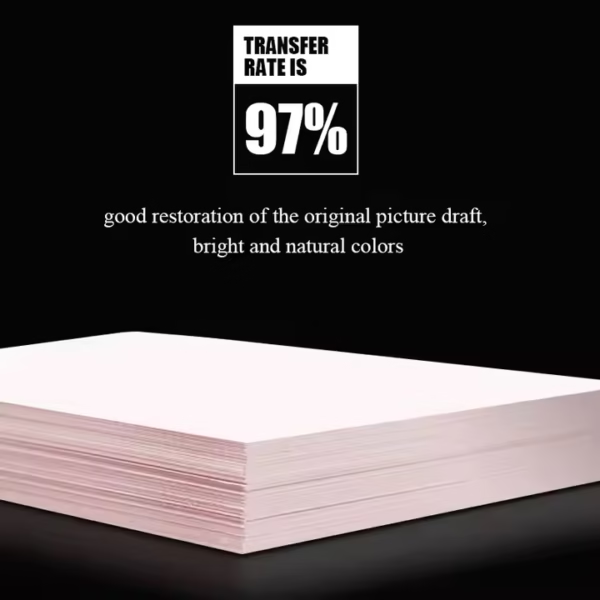
Product-gallery example. Screen colours and paper appearance are not a guarantee of the final colour on every blank.
How to use the paper, step by step
Choose the blank: confirm its polyester content or sublimation coating and obtain its transfer instructions.
Prepare the artwork: set A4 size, suitable margins and the correct mirror setting.
Print: use compatible sublimation ink and your tested printer/profile combination, printing on the coated face.
Dry and position: let the print dry, align it carefully and secure it using the method appropriate to the blank.
Transfer: use the blank’s specified temperature, time and pressure with suitable heat equipment.
Remove and cool: follow the blank’s handling instructions, avoiding movement that can create a second image edge.
Which temperature and time should you use?
Sublimation A4 Paper 120 GSM does not have one correct press recipe for every product. A coated mug, a polyester shirt and a rigid panel differ in shape, coating and heat requirements. Follow the specific blank manufacturer’s instructions, then validate your printer/ink/paper combination with a small test.
Do not use the DTF film settings published elsewhere in our catalogue for sublimation paper. Sublimation does not use the same powder-and-PET transfer sequence. Use appropriate protection and handling methods for your equipment and blank so excess dye or movement does not spoil the item.
Watch a general sublimation-printing example
The ProlificGeeks Audley 1.8-metre printer video illustrates a wider-format dye-sublimation workflow. It does not show A4-sheet feeding or certify this paper batch. The printer shown is not included with the paper.
Sublimation ink, suitable blank/coating, nozzle condition and the correct transfer recipe.
Double edges or ghosting
Paper movement during placement, pressing or removal.
Colour differs from the previous order
Profile, ink, blank batch and consistent transfer conditions.
Smudging or marks
Print drying, sheet curl, contamination and media loading.
Approve Sublimation A4 Paper 120 GSM on a completed test item before printing a large order. This listing does not claim a verified transfer percentage, universal instant-dry time or certified wash-cycle count for every application.
Storage and repeat-order notes
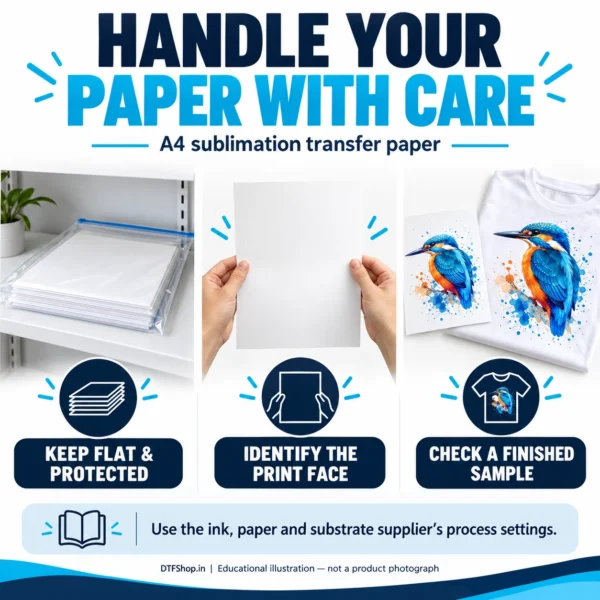
Keep unused sheets flat in their protective packaging, away from moisture, dust, direct heat and creasing. Identify the print side and do not mix opened paper grades. Obtain batch-specific shelf life and storage limits from the supplied pack information.
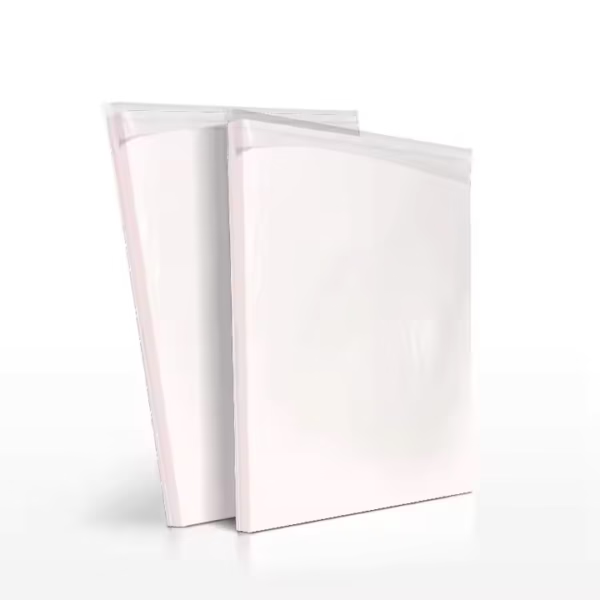
Illustrated sheet-handling guide. Keep paper flat and clean, identify the working face and evaluate a finished sample.
Keep a small reference print with your printer, ink, profile, blank and press settings. A short record helps you reproduce an accepted result and identify where a change began.
Related supplies and help choosing
Use compatible sublimation ink. For larger artwork, compare A3 120 GSM sublimation paper after checking your printer’s size limit. For help choosing Sublimation A4 Paper 120 GSM, contact DTFShop support with your printer model and the blank you want to personalise.
Product video guides
An exact-product installation and quality-test video is being verified. Unrelated demonstrations have been removed.
Additional information
Weight
0.5 kg
Dimensions
35 × 20 × 20 cm
3 reviews for Sublimation A4 Paper 120 GSM – Instant Dry, High-Transfer Premium Heat Transfer Paper | ProlificGeeks / DTFShop.in
5 out of 5
Abhishek Rao–
Very reliable over long production runs. Colors are accurate and consistency remains solid throughout the week. Static handling is excellent and peel properties remain crisp.
4 out of 5
Kavita Reddy–
Excellent build quality. Solved our production bottleneck instantly. Highly recommended for commercial print environments. Static handling is excellent and peel properties remain crisp.
4 out of 5
Manish Tiwari–
Great value for money. Setup is incredibly easy if you follow standard industrial printing parameters. Static handling is excellent and peel properties remain crisp.
₹1,800.00Original price was: ₹1,800.00.₹1,080.00Current price is: ₹1,080.00.
Sublimation A3 Paper 120 GSM – Instant Dry, Super Transfer Premium Heat Transfer Paper | ProlificGeeks / DTFShop.in to Pinterest (opens in a new window)







Abhishek Rao –
Very reliable over long production runs. Colors are accurate and consistency remains solid throughout the week. Static handling is excellent and peel properties remain crisp.
Kavita Reddy –
Excellent build quality. Solved our production bottleneck instantly. Highly recommended for commercial print environments. Static handling is excellent and peel properties remain crisp.
Manish Tiwari –
Great value for money. Setup is incredibly easy if you follow standard industrial printing parameters. Static handling is excellent and peel properties remain crisp.