Sublimation A3 Paper 120 GSM – Instant Dry, Super Transfer Premium Heat Transfer Paper | ProlificGeeks / DTFShop.in
-14%
Sublimation A3 Paper 120 GSM – Instant Dry, Super Transfer Premium Heat Transfer Paper | ProlificGeeks / DTFShop.in to Pinterest (opens in a new window)
Sublimation A3 Paper 120 GSM
Instant Dry, Super Transfer Premium Heat Transfer Paper | ProlificGeeks / DTFShop.in
Shipping and applicable payment fees are calculated at checkout.
7.5% prepaid savings
₹518.00prepaidSave ₹42.00 before GST, shipping or fees. Eligible orders only.
Cash on Delivery₹660.80Item incl. GST. Shipping and any COD fee extra. Check PIN eligibility.
Our Sublimation A3 Paper 120 GSM gives you a larger blank sheet for preparing personalised fabric and gift-item designs. Print your artwork using compatible sublimation ink, position the print against a suitable polyester surface or sublimation-coated blank, and transfer it with the correct heat equipment.
Sublimation A3 Paper 120 GSM — one pack of 100 blank sheets, 297 × 420 mm, for compatible sublimation-ink printing.
For suitable polyester surfaces and sublimation-coated blanks.
A3 format, not A3+; check your printer and heat-equipment capacity.
Use the coated print face and a tested printer/ink profile.
Paper only. Press settings depend on the blank; ink, equipment and blanks are separate.
GST invoice available / Shipping calculated at checkout / Product support
Offers
Razorpay card offers
Razorpay displays offers available for your card at checkout. The issuing bank, minimum spend and other conditions may apply.
Card EMI
Select an eligible card at checkout to see available tenures, interest, fees and the final instalment amount.
Festival coupons
Enter a valid campaign coupon at checkout. Product eligibility, minimum spend, expiry and coupon combinations are checked there.
Bulk-buy coupons
Available quantity discounts depend on the product and order size. Use Request bulk quote to get a price for your requirements.
DTFShop Rewards
The estimate uses the item price before further discounts. Actual points depend on eligible order value after discounts and are credited after completion.
Sign in to check your balance. Redeem from 50 points on eligible orders.
Smart Online SavingsYour order cost, explained
Compare automated website ordering—including COD, card/digital payments, rewards and coupons—with a manual/offline order.
Order on DTFShop.inRecommended
Product value₹560.00
Prepaid discount (7.5%)−₹42.00
Website shippingCalculated by weight at checkout
GST (18%)+₹93.24
Estimated platform fee (2.36% of total)+₹14.77
Estimated prepaid subtotal₹626.01
Weight-based shipping will be added at checkout
Online purchase rewardsEarn and use eligible rewards
Purchase + email couponsGet eligible coupon offers and free promotional coupons by email
✓ Order online anytime, from anywhere✓ Choose COD where available✓ Pay securely by credit card or available digital payment methods✓ Immediate digital payment proof and automatic order confirmation✓ GST invoice available without manual follow-up✓ Automatic tracking and WhatsApp order updates✓ Earn rewards on eligible completed online purchases✓ Receive eligible purchase coupons and free promotional coupons by email
Manual / Offline Order
Product value₹560.00
Manual / offline shippingCalculated by actual weight and location
GST (18%)+₹100.80
Prepaid website discount₹0
Website rewards / coupon₹0
Estimated manual order subtotal₹660.80
Actual weight/location-based courier charge is extra
• Payment coordinated manually through WhatsApp/bank transfer• Confirmation and invoice may require manual processing• Courier charged on the actual/manual booking basis• Shipment timing and updates are coordinated manually
Estimated saving by ordering prepaid on DTFShop.in₹34.79
before weight-based shipping and any additional eligible rewards or coupon saving
How this estimate works:
Website example uses the 7.5% prepaid discount only when the eligible value is ₹10,000 or below, plus GST 18% and an estimated non-EMI platform fee equal to 2.36% of the subtotal including that fee. Shipping, coupons and final taxes are confirmed at checkout.
Website and manual/offline shipping are excluded from these subtotals because courier charges are calculated from actual weight, dimensions and delivery location.
Final checkout or confirmed manual quotation is authoritative and can change with shipping, coupon, rewards, variation and payment method.
Frequently bought together
Complete your setup
Useful add-ons commonly paired with this product. Choose only what you need.
Sublimation A3 Paper 120 GSM — more space for your transfer artwork
Our Sublimation A3 Paper 120 GSM gives you a larger blank sheet for preparing personalised fabric and gift-item designs. Print your artwork using compatible sublimation ink, position the print against a suitable polyester surface or sublimation-coated blank, and transfer it with the correct heat equipment. The paper carries the dye image; it is removed after transfer rather than becoming a film on the finished item.
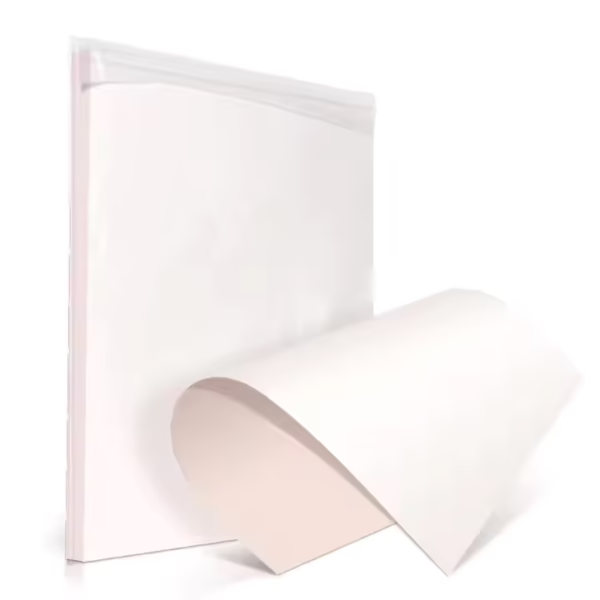
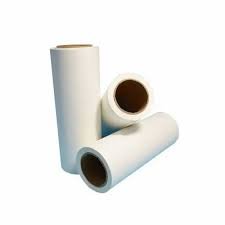
Product image for the A3 paper listing. The pack contains blank transfer sheets; printed examples and equipment are not included.
What you receive for the listed price
One pack of 100 blank A3 sublimation transfer sheets, 120 GSM.
Standard A3 dimensions: 297 × 420 mm. This listing is not A3+.
Ink, printer, garments, mugs, other blanks and heat equipment are separate purchases.
Quantity 1 means one 100-sheet pack. GST and shipping are shown separately at checkout. Instructional guides and example products pictured here explain use; they are not additional supplied items.
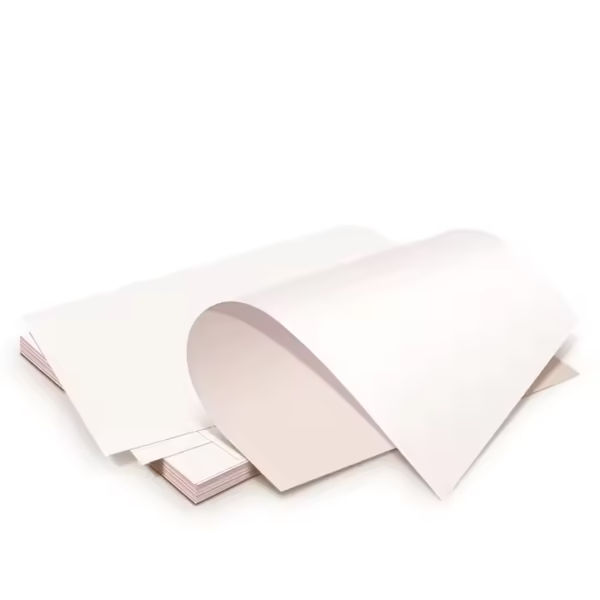
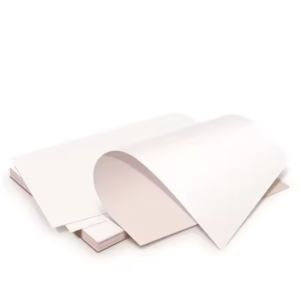
Additional paper-media view. Use the written size and quantity when comparing packs.
When does the A3 format make sense?
Choose Sublimation A3 Paper 120 GSM when your artwork and printer need more room than A4 provides. It can accommodate a larger design or several smaller pieces within the usable area. Check the size of both your printer feed and your transfer equipment before buying: a larger paper sheet does not increase a small press’s working area or make an A4 printer accept A3.
Sheet size
A3 — 297 × 420 mm
Paper weight
120 grams per square metre
Pack quantity
100 blank sheets
Required ink
Compatible dye-sublimation ink
Receiving material
Suitable polyester fabric or a sublimation-compatible coated blank
A3 and A3+ are different sizes, and neither label should be confused with a 12×18-inch DTF film sheet. Allow the margins required by your printer. The full physical paper size is not necessarily available as borderless artwork.
Existing paper-gallery view. Paper weight is a handling specification, not a universal print or heat-press setting.
What 120 GSM tells you—and what it does not
The GSM value describes mass per unit area. It does not mean the entire pack weighs 120 grams, and it does not identify the coating or a fixed drying time. Printer transport, ink loading and workshop conditions all matter. Use a paper setting and output profile tested for your printer, ink and this media rather than choosing a preset from the GSM number alone.
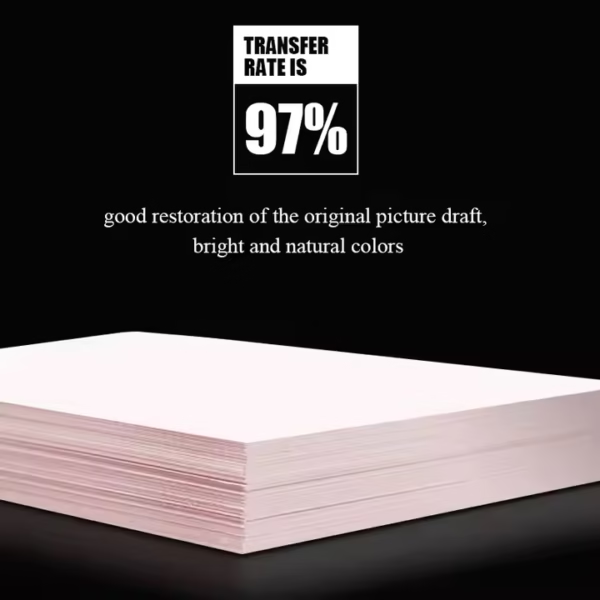
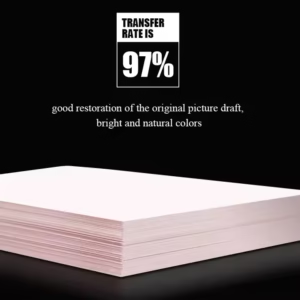
We do not publish another supplier’s transfer percentage, laboratory result or certification as evidence for this stock. Brand, coating-specific limits, shelf life and any measured performance should be checked against the supplied batch information when those are purchasing requirements.
Make sure your blank is suitable
Sublimation A3 Paper 120 GSM works as part of a dye-sublimation process. Suitable polyester surfaces and correctly coated blanks receive the dye under heat. Untreated cotton, an ordinary uncoated mug and arbitrary plastic objects do not become sublimation-ready just because the paper fits against them.
Check the fabric composition or the blank supplier’s coating information. On fabrics, the background affects colour because ordinary sublimation does not print an opaque white underbase. A coated mug, polyester shirt and photo panel can require different heat equipment and transfer procedures. Start with a verified blank and its instructions.
Product-gallery example. A picture cannot establish that every fabric or hard object is suitable for sublimation.
Set up the artwork and load the coated face
Set A3 dimensions in your design software or print workflow, choose the required mirror setting and leave safe margins. For several smaller designs, allow room for trimming and placement. Make sure the final design fits the receiving item and the equipment that will heat it; do not judge fit only from the page preview.
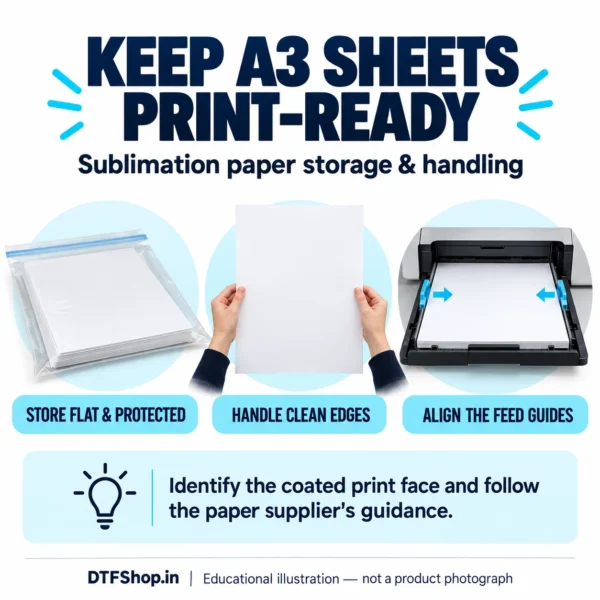
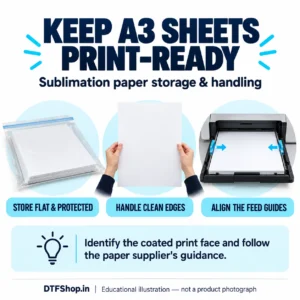
Identify the paper’s coated working face using the supplied pack information. Load flat sheets squarely with appropriate feed guides. Handle clean edges and keep the print surface free from dust and fingerprints. Allow the printed image to dry sufficiently before positioning it. No one drying time is promised for every image and ink load.
Illustrated A3 handling guide: protect flat sheets, identify the working face and align the feed. This is an illustration, not an additional accessory.
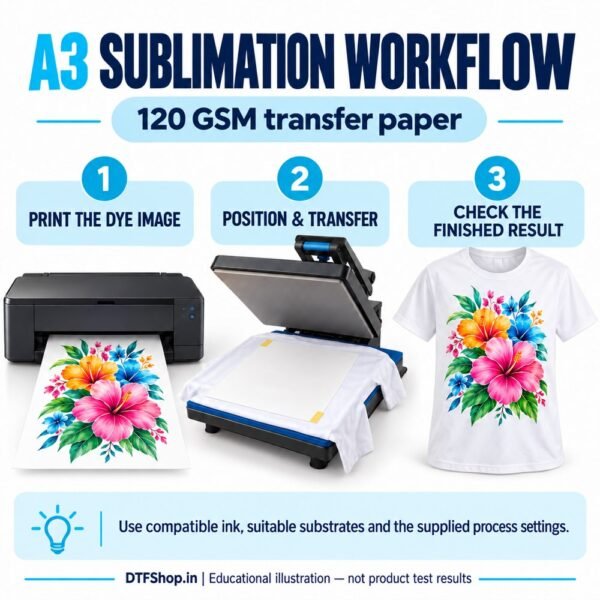
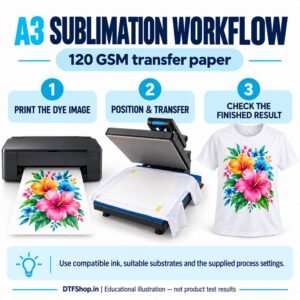
A simple printing and transfer sequence
Check the blank: confirm its suitability for sublimation and obtain its pressing instructions.
Prepare: set A3 size, the required mirrored artwork and the correct profile for your sublimation-ink setup.
Print: use the coated paper face and inspect a small reference image before a large job.
Dry and place: keep the print clean, align it carefully and secure it using the method appropriate to the blank.
Transfer: use the blank’s specified temperature, time and pressure with suitable equipment.
Remove and cool: follow the blank’s handling procedure and avoid movement that creates double edges.
Illustrated sublimation workflow. The sequence is general; the blank determines the actual pressing recipe.
Why we do not give one press temperature for everything
For Sublimation A3 Paper 120 GSM, paper is only one part of the combination. A mug’s coating, a garment’s polyester content and a panel’s construction can have different heat requirements. Use the blank manufacturer’s procedure and validate the finished item with your actual ink and paper.
Do not use the DTF film settings elsewhere in this catalogue for sublimation paper. Sublimation does not use the same PET-and-adhesive-powder sequence. A large print also needs even contact across the relevant area. If your equipment cannot apply the required heat and pressure consistently, changing the paper alone will not solve that limitation.
Watch a general sublimation-printing example
The ProlificGeeks Audley 1.8-metre printer video illustrates a roll-fed dye-sublimation workflow. It does not demonstrate A3-sheet feeding or certify this 120 GSM paper batch. The machine shown is not included with the pack.
A sublimation image can look less vivid on paper than after transfer. Judge Sublimation A3 Paper 120 GSM using a completed test item under consistent lighting, not only a monitor or wet paper print. Keep a physical reference for important repeat colours. Check neutral tones, gradients, fine text and solid areas.
If results change, first check nozzle condition, ink/profile settings, the blank batch and the transfer procedure. Changing all of them at once makes the cause difficult to find. No universal wash-cycle count, transfer percentage or guaranteed colour match for every blank is claimed.
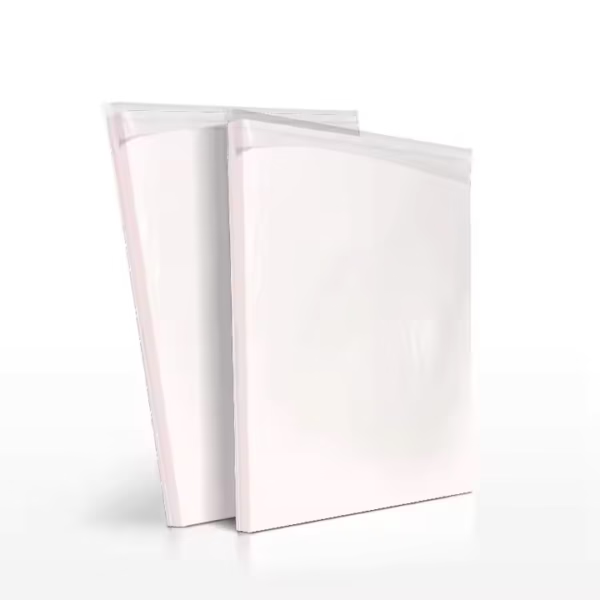
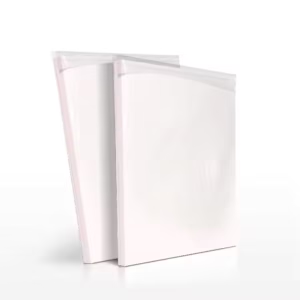
Shared product-family photo that may show A4 packaging. This page supplies A3 sheets; use the written pack specification rather than that image to select size.
Troubleshooting before the next job
Problem
First checks
Artwork is clipped
A3 page size, orientation, printer capability and margins.
Weak transferred colour
Correct sublimation ink, suitable blank, nozzle pattern and transfer recipe.
Double edges or ghosting
Movement during placement, pressing or removal.
Marks or smudging
Drying, paper curl, contamination and loading.
Colour differs between orders
Profile, ink, blank batch and consistent transfer conditions.
Store sheets flat and keep a job record
Protect unused paper in its packaging, away from moisture, dust, heat and creasing. Keep opened grades labelled and avoid mixing them in the same stack. Check supplied information for shelf life and specific storage limits. Retain a reference print with the printer, ink, profile, blank and transfer settings so an accepted result can be repeated.
Related supplies and help choosing
Use compatible sublimation ink. If the design and printer only need a smaller format, compare A4 120 GSM sublimation paper. For help selecting Sublimation A3 Paper 120 GSM, contact DTFShop support with your printer model and intended blank.
Product video guides
An exact-product installation and quality-test video is being verified. Unrelated demonstrations have been removed.
Additional information
Weight
0.7 kg
Dimensions
48 × 34 × 4 cm
2 reviews for Sublimation A3 Paper 120 GSM – Instant Dry, Super Transfer Premium Heat Transfer Paper | ProlificGeeks / DTFShop.in
4 out of 5
Divya Sharma–
Great value for money. Setup is incredibly easy if you follow standard industrial printing parameters.
4 out of 5
Manish Tiwari–
Very reliable over long production runs. Colors are accurate and consistency remains solid throughout the week.
₹1,800.00Original price was: ₹1,800.00.₹1,080.00Current price is: ₹1,080.00.
Sublimation A4 Paper 120 GSM – Instant Dry, High-Transfer Premium Heat Transfer Paper | ProlificGeeks / DTFShop.in to Pinterest (opens in a new window)
Continue on WhatsAppPlease share your details so our team can help you faster.
Sublimation A3 Paper 120 GSM – Instant Dry, Super Transfer Premium Heat Transfer Paper | ProlificGeeks / DTFShop.in₹650.00Original price was: ₹650.00.₹560.00Current price is: ₹560.00.







Divya Sharma –
Great value for money. Setup is incredibly easy if you follow standard industrial printing parameters.
Manish Tiwari –
Very reliable over long production runs. Colors are accurate and consistency remains solid throughout the week.