
Use an available credit card or digital payment method for automated payment proof, confirmation, invoice and order processing.
No 7.5% prepaid discount above ₹10,000. GST, payment fee and weight-based shipping apply as applicable.-12%




DTF Audley Dual Head I3200 Printer 12 inch with Powder Shaker – High-Precision Mid-Range DTF Printer | ProlificGeeks
Original price was: ₹570,000.00.₹500,000.00Current price is: ₹500,000.00.
Reviews
No reviews yet
Add review
Availability
In stock
Ready to order
DTFShop benefit
Save up to 12.3%
Product-price saving only; no prepaid discount above ₹10,000
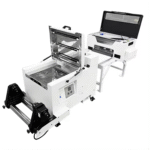
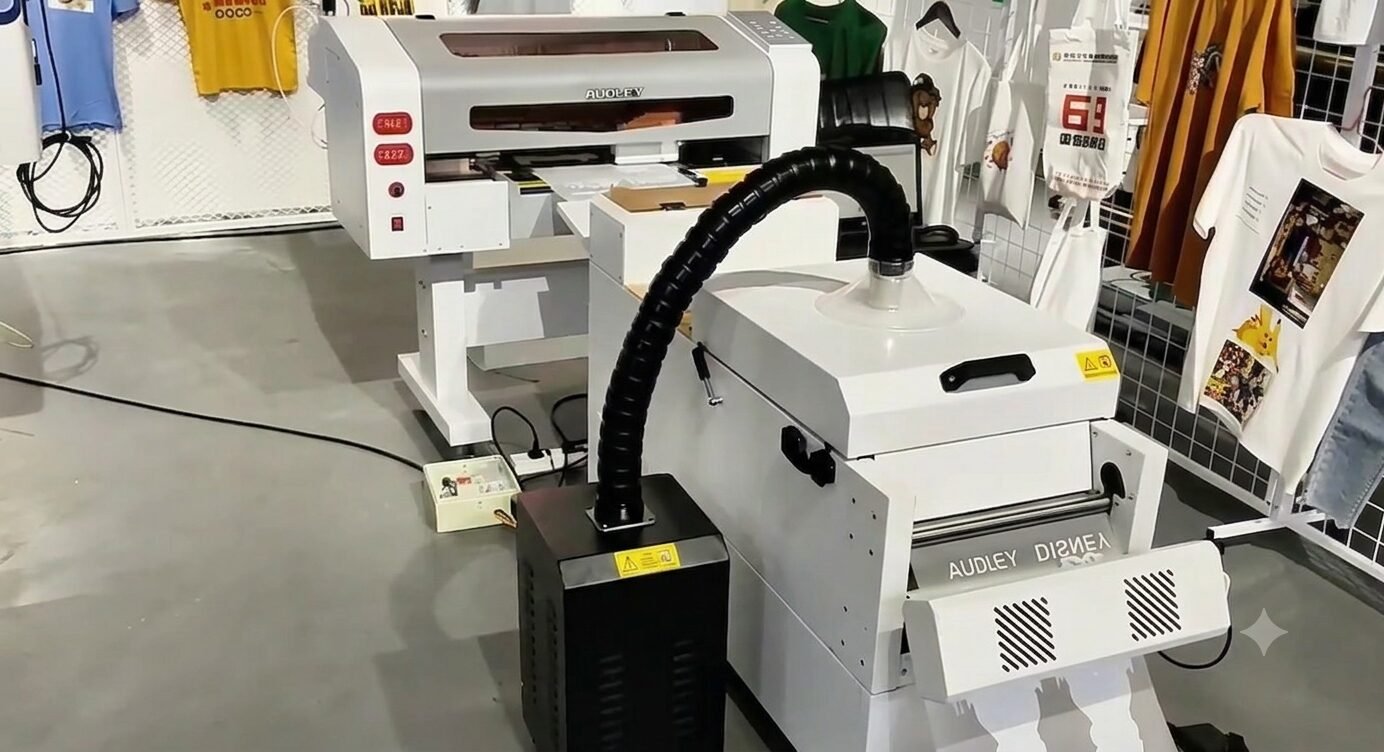
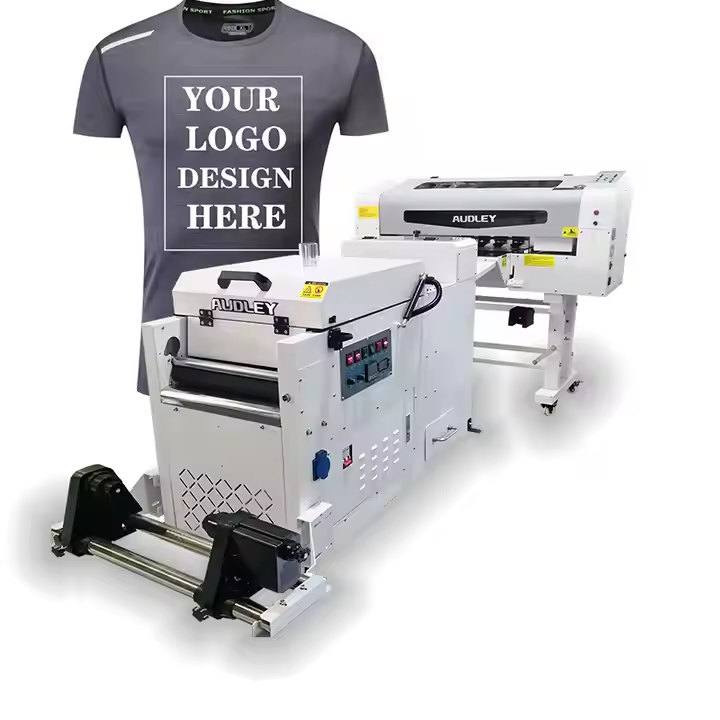
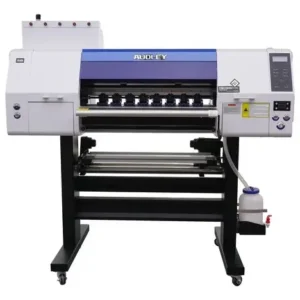
DTF Audley Dual Head I3200 Printer 12 inch is a 12-inch Audley DTF printer with dual I3200 heads and a powder shaker. The narrower format can suit work centred on logos, panels and smaller garment transfers.
DTF Audley Dual Head I3200 Printer 12 inch is a 12-inch Audley DTF printer with dual I3200 heads and a powder shaker. The narrower format can suit work centred on logos, panels and smaller garment transfers. Gang-sheet layout is important because large designs may not fit across a 12-inch media path.
What you receive for the listed price
- One Audley 12-inch industrial printer with two I3200 printheads.
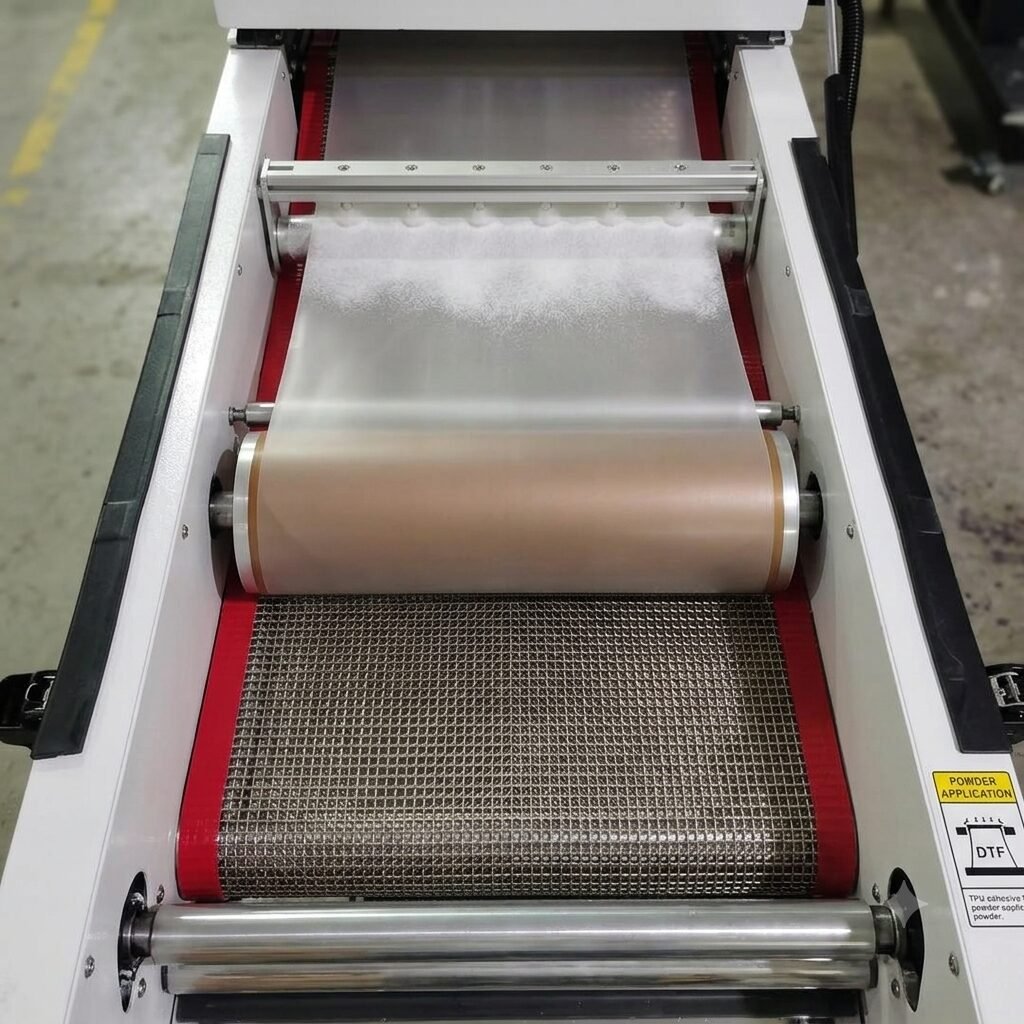
- Matching powder shaker/curing unit.
- 5 kg starter ink; 2 kg adhesive powder; 1 litre cleaner.
- One 12-inch PET film roll, 100 metres long.
- Free RIP software and installation.
- One-year warranty, subject to the store warranty terms.
- Three onsite service visits are included and must be used before the first year is complete. The service visit fee is included; travel/conveyance costs are paid by the customer.
Warranty details: Printheads are excluded under the published store policy. Read warranty and service terms for coverage and exclusions.
Applicable taxes and shipping, where relevant, are shown at checkout. Gallery guides and demonstration equipment explain use; they are not additional supplied items.
GST invoice available / Shipping calculated at checkout / Product support
Payment Options
Order online with automated confirmation and flexible payment choices
Choose prepaid, COD where available, credit card, digital payment or eligible EMI assistance.
For high-value products, our team may verify your order, address and delivery possibility before dispatch.
COD availability depends on product, location and order confirmation.We can assist with EMI or credit-card payment link options where available.
Ask on WhatsApp
✓ Automated order confirmation and digital payment proof
✓ COD option where available and approved
✓ Credit-card, digital-payment and eligible EMI choices
✓ GST invoice, tracking and WhatsApp updates
✓ Eligible purchase rewards and promotional coupons by email
Note:
EMI may be available up to ₹5,00,000, subject to bank/card eligibility. Available payment methods are confirmed at checkout.
Frequently bought together
Ask expert
Complete your setup
Useful add-ons commonly paired with this product. Choose only what you need.
- Description
- Additional information
- Reviews (0)
Description
DTF Audley Dual Head I3200 Printer 12 inch — Overview and practical use
DTF Audley Dual Head I3200 Printer 12 inch is a 12-inch Audley DTF printer with dual I3200 heads and a powder shaker. The narrower format can suit work centred on logos, panels and smaller garment transfers. Gang-sheet layout is important because large designs may not fit across a 12-inch media path.
What you receive for the listed price
- One Audley 12-inch industrial printer with two I3200 printheads.
- Matching powder shaker/curing unit.
- 5 kg starter ink; 2 kg adhesive powder; 1 litre cleaner.
- One 12-inch PET film roll, 100 metres long.
- Free RIP software and installation.
- One-year warranty, subject to the store warranty terms.
- Three onsite service visits are included and must be used before the first year is complete. The service visit fee is included; travel/conveyance costs are paid by the customer.
Warranty details: Printheads are excluded under the published store policy. Read warranty and service terms for coverage and exclusions.
Applicable taxes and shipping, where relevant, are shown at checkout. Gallery guides and demonstration equipment explain use; they are not additional supplied items.
Production quality is a complete workflow
Assess a machine with representative artwork and the materials used for the intended jobs. Media transport, ink condition, software settings and the downstream process affect usable output. Head count or nominal media width alone does not establish a guaranteed production speed.
Daily use and practical checks
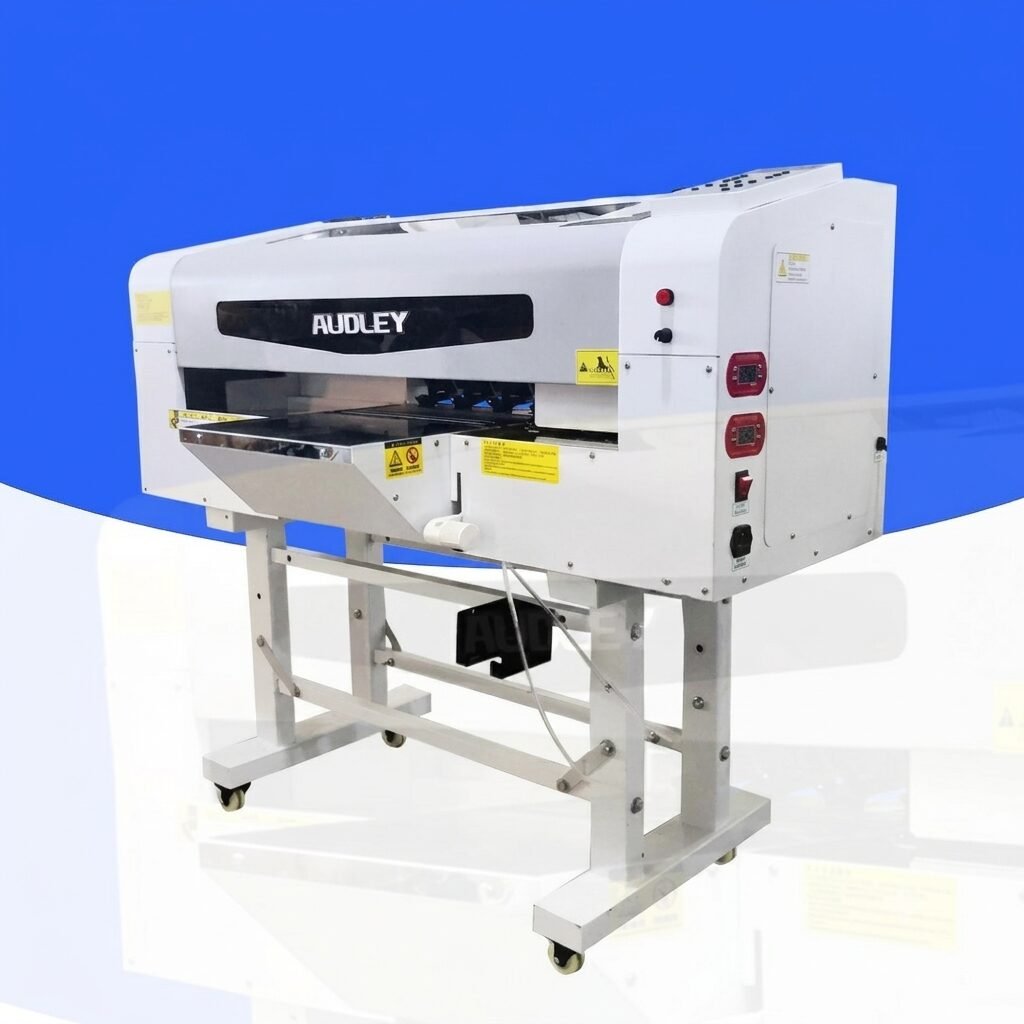
When working with DTF Audley Dual Head I3200 Printer 12 inch, work from real order dimensions when planning the line. Efficient nesting reduces wasted film and makes repeat batches easier to schedule.
Operating the equipment consistently
For DTF Audley Dual Head I3200 Printer 12 inch, keep the supplied maintenance schedule, service access and work area in the daily routine. Record stable settings for each material combination. Use the machine documentation for electrical requirements, ventilation and installation rather than transferring values from a different model.
Building the production workflow around the machine
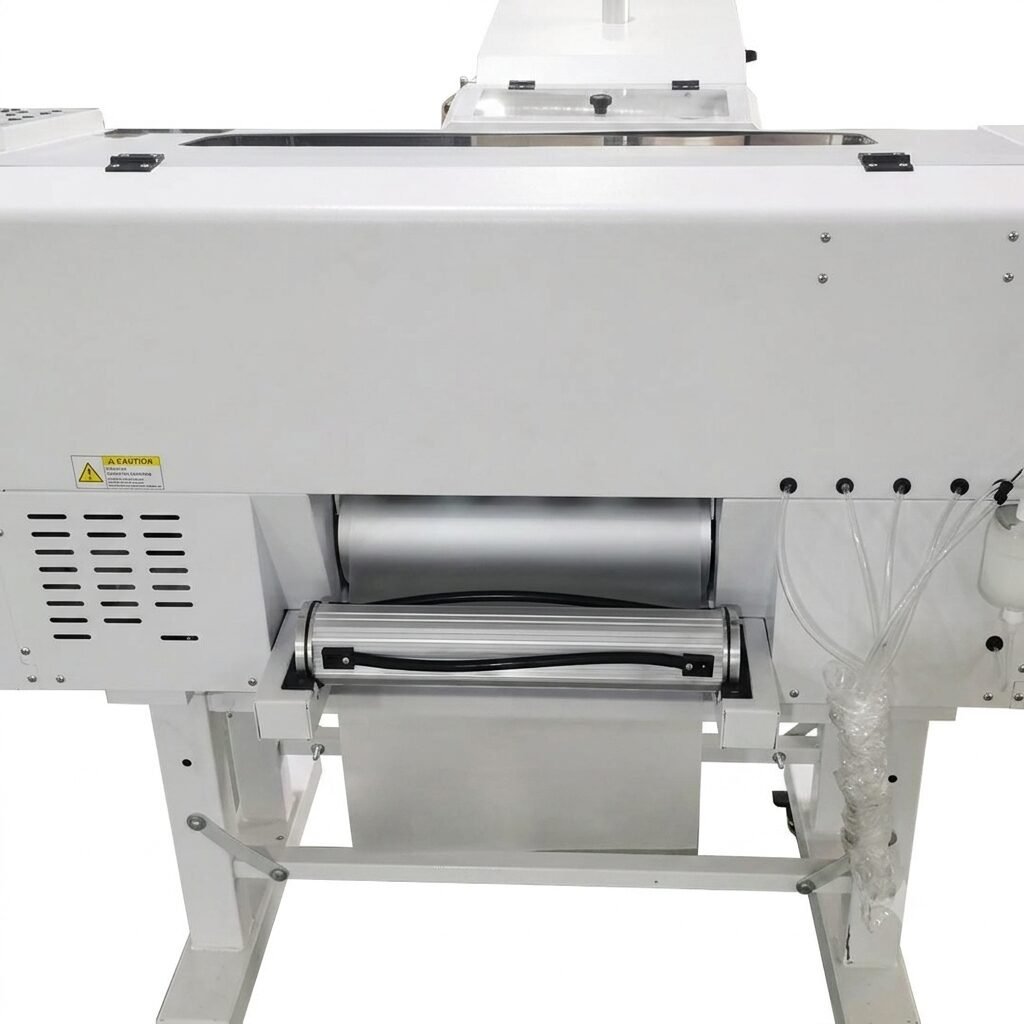
A printer or processing unit delivers its best practical value when the stages around it are planned together. Artwork preparation, material loading, printing, curing or transfer, and finished-output inspection each take time. The configuration described above establishes the role of this machine in that sequence. Nominal width, head count or platen arrangement are useful specifications, but they do not alone describe completed daily output.
Build the workflow around the actual jobs being produced, including the size of the designs, material changes and the time needed for setup and routine care between batches.
Artwork, output modes and usable quality
Use representative files when establishing an operating baseline. Fine text, solid coverage, gradients and open spaces reveal different aspects of output quality. The selected software mode affects how the machine handles the file and how long the job takes. Save the preset once an acceptable result has been established and retain the approved sample alongside it.
A demonstration file with sparse artwork is not a complete reference for a dense production design. For repeat work, keep the artwork version and intended finished dimensions clear so a later software or layout change does not become an unnoticed production difference.
Media handling and the working area
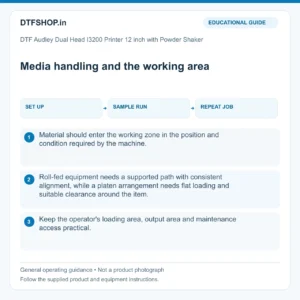
Material should enter the working zone in the position and condition required by the machine. Roll-fed equipment needs a supported path with consistent alignment, while a platen arrangement needs flat loading and suitable clearance around the item. Keep the operator's loading area, output area and maintenance access practical.
A machine that is awkward to load or clean can lose useful production time even when its printing stage is fast. Plan where consumables and finished work will be held so they remain protected from dust, accidental contact and unnecessary movement through the workshop.
Commissioning and establishing stable settings
Installation is the point at which the supplied configuration, materials and operating instructions should be brought together. Use the machine documentation for electrical requirements, service clearances, ventilation and any auxiliary equipment. Establish a stable baseline before trying to optimise throughput. Confirm the relevant checks for the machine, such as media tracking, nozzle condition, alignment, temperature control or consistent contact.
Record those results along with the working recipe. If a setting is later changed, retain the previous value and sample so the effect can be evaluated rather than relying on memory of how a job looked before the adjustment.
Maintenance as part of normal production
Routine care protects consistency and should have a place in the daily schedule. Clean the specified areas, maintain the relevant fluid or media systems and monitor the components identified in the supplied service instructions. Keep a simple log of maintenance, material changes and unusual observations. A recurring defect is easier to investigate when its timing can be compared with an ink change, cleaning event or new media batch.
Use the correct service method and consumables for the installed technology. Procedures intended for an aqueous garment-transfer printer, a sublimation machine and a UV system should remain distinct.
Assessing capacity with meaningful evidence
The useful capacity measure is accepted finished work in the quality mode required by the business. Include setup, handling, maintenance and the downstream process when estimating that capacity. Compare samples using the same artwork dimensions and acceptance standard. Record rejected output as well as successful output so a faster setting is not mistaken for a better production result.
When the workflow is stable, keep the configuration and approved process documented for other operators. This creates a realistic basis for repeat orders, material planning and support, while avoiding unsupported promises about output speed, unattended operation or compatibility with every application.
Recommended Add-ons from DTFShop
To complete the workflow, you may also check these related DTFShop products when they match your machine or printing process:
- DTF PET Film Sheets
- INKBANK DTF Ink 1KG
- Hot Melt Powder for DTF Printing
- Transparent DTF Cleaner 500 Gms
Video: related workflow demonstration
Production-context video from ProlificGeeks: see the textile DTF printing workflow that this product supports. This is not a demonstration of the exact supplied component or pack, an installation tutorial, or proof of compatibility. Use the written product guidance and the service instructions for your actual equipment. Machines and materials shown are not extra package contents.
Practical questions
What is a useful production demonstration?
Use artwork and materials similar to the jobs you intend to sell. Inspect finished output, setup time and the downstream processing stage. Head count or nominal width alone does not establish usable production speed at your required quality.
What should the operator save for repeat jobs?
Keep the artwork version, print preset, material identity and approved finished sample together. Record routine maintenance and any setup changes. A known reference job helps distinguish a file change from a transport, ink or calibration problem.
What is included with DTF Audley Dual Head I3200 Printer 12 inch?
The package-contents section above lists the supplied item and quantity. Choose the stated option when alternatives are available; a gallery showing several examples does not turn one selected option into a combined set.
Additional information
| Weight | 500 kg |
|---|---|
| Dimensions | 180 × 80 × 90 cm |






Gaurav Saxena –
Perfect compatibility with our converted machines. Flow rates are smooth and packaging arrived safely.
Divya Sharma –
Perfect compatibility with our converted machines. Flow rates are smooth and packaging arrived safely.
Aarti Mishra –
Perfect compatibility with our converted machines. Flow rates are smooth and packaging arrived safely.